
DQ changelog
DQ Core 1.7.0 — Door scanning, venue time zones & a far steadier connection
This release is about the door and the night around it — scanning guests in, counting the night correctly wherever your venue is, and staying connected while you do it.
🎟 Scan guests in at the door (new)
Every ticketed guest already leaves checkout with an Apple or Google Wallet pass — now your team can actually read one. Open the scanner from the Bookings header and check guests in with a single scan.
Works for table bookings, guest-list entries and table guests, all from the same scanner.
Passes are checked against the trading day they belong to, so next month's ticket won't walk in tonight.
A pass from another venue simply doesn't resolve.
✅ Check-in now has a name and a time
Arrival used to be a bare tick with no record behind it. Every check-in — scanned or ticked by hand — now stamps who admitted the guest and when.
A shared or screenshotted pass is refused on the second attempt, and the original arrival time and name are shown instead.
Un-checking clears the record, so a re-entry never shows a stale time.
Waiters and promoters keep the check-in access they already had.
📱 A QR code on the confirmation page
Guests who skip the wallet pass — or are on a device that never gets offered one — can now open their check-in code straight from their confirmation page. The dialog keeps the screen awake and puts the code on a full white plate, so it still scans in a dark queue on a dimmed phone. The dead "Contact" button that sat next to it is gone.
🌍 Venue time zone
Your venue now has a real time zone instead of everything running on whatever device happens to be looking. Set it in Profile → Venue Settings → Time Zone — the picker shows the current clock beside each zone so you can recognise yours by its time.
Once a zone is set, owners and admins can switch the venue onto venue-time trading days, so the noon-to-noon night — and every report built on it — is counted in the venue's own time rather than the manager's. A 1am sale lands on the right night whoever is looking, and from wherever. This is opt-in per venue and one tap to turn back off.
🔌 A connection status you can act on
The Profile screen used to show a debugging string mid-service. It now shows a simple pill — Connected, Reconnecting…, or Unable to Connect — and, where there's something to do about it, a button that does it: update the app, sign in again, or reset local data.
🔄 Sync reliability
A phone left closed for a couple of days now recovers on its own, instead of needing a force-quit at shift start.
A dropped session recovers in place rather than sitting offline until the app is relaunched.
Logging out now closes every sync connection, fixing stale data after logging back in as someone else.
Check-ins no longer show a scary error when venue wifi drops — the action queues and replays.
🔔 Notifications & events
Notification history was unreachable on a quiet day. Pull to refresh now loads older notifications whatever the last 24 hours look like.
The Upcoming / Past event selector actually filters now — and tonight's event stays "Upcoming" through service and past midnight, turning Past at midday.
Live Activities no longer drop the whole night's staff notifications between midnight and noon.
🍸 Orders
Order cards now show who last touched an order, so you can see at a glance whether someone's already on it. The tag clears after 30 minutes; order detail keeps the full record.
Clearer empty states across the order board and run list.
🪑 Tables & floor plan
The Tables tab shows a loading skeleton instead of briefly claiming the venue is empty.
Fixed the layout editor crashing on Android, and pinch-zoom crashing the app.
Corner couches and booths now draw correctly at every rotation.
✨ Polish & fixes
Fixed Tap to Pay failing to complete a payment.
Wallet passes now show your event image instead of a blank thumbnail.
The staff invite form scrolls, so every role is reachable on smaller phones.
Log Out asks first, and destructive actions in Profile are now clearly separated rows rather than look-alike buttons.
Runner and Dispense roles can no longer place orders.
Venue Settings rows line up, and long time-zone clocks no longer get truncated.
DQ Core — Multi-Section Floorplan (BETA), password reset improvements & longer sign-ins
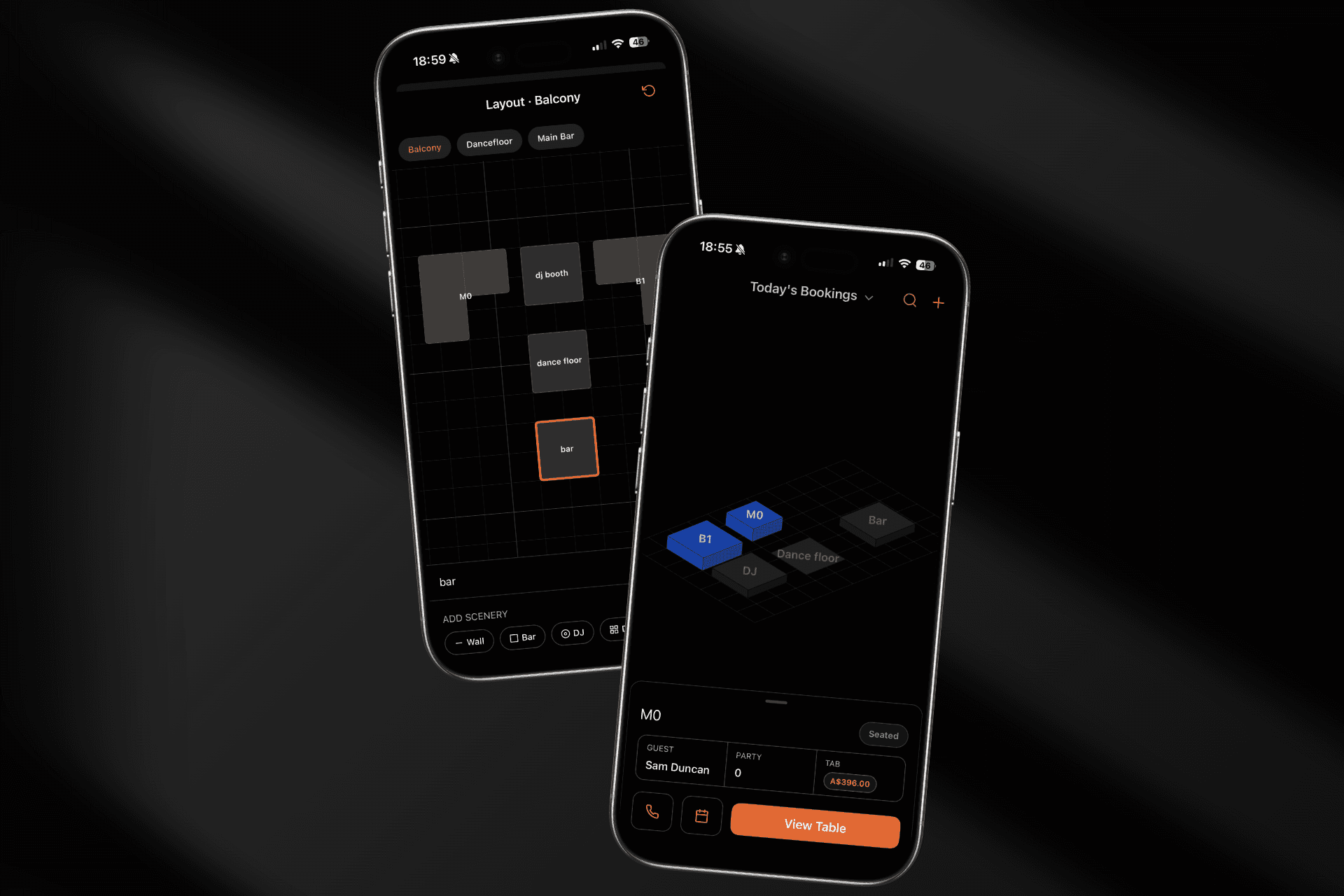
A maintenance update focused on getting you back into the app faster and keeping you there, plus an early look at something we're really excited about.
🗺 Floor plan map (now in BETA)
A floor plan view of your venue the way it actually looks. The new floor plan turns your table list into a live map, colour-coded by status, so you can read the room at a glance — and seat a booking straight from the map. Build your layout with the drag-and-drop editor: place tables, drop in walls and features like the bar or DJ booth, then rotate and resize everything to match your real floor.
This is an early beta, available on iPhone and iPad and rolling out to venues gradually. Want it switched on for yours? Navigate to Profile > Settings and Floorplan.
🔑 Code based password reset
Forgotten your password? Tap Forgot password and we'll email you a code to reset it right in the app. No more dead ends.
🔓 Stay signed in
Sign-ins now last far longer, so you're not being logged out every week. We also fixed a bug where reopening the app after a while could show a blank screen - you now land straight back on your venue, or on the login screen if your session has genuinely ended.
🪑 Tables quality of life
New Booking on a table now opens that table's booking directly, instead of routing you through the Bookings tab first.
On Android, swiping a table row no longer fights with scrolling the list vertically.
💬 Help & feedback in your profile
Your profile now has quick links to the Help Centre and to send us feedback, along with a card showing the latest product update.
✨ Polish
Clearer empty states across the Bookings and Reports tabs, so a quiet night or an event with no bookings reads properly instead of looking broken.
DQ Core 1.6.0 — Menu Photo Upload, Run Lists & a smarter night's reporting
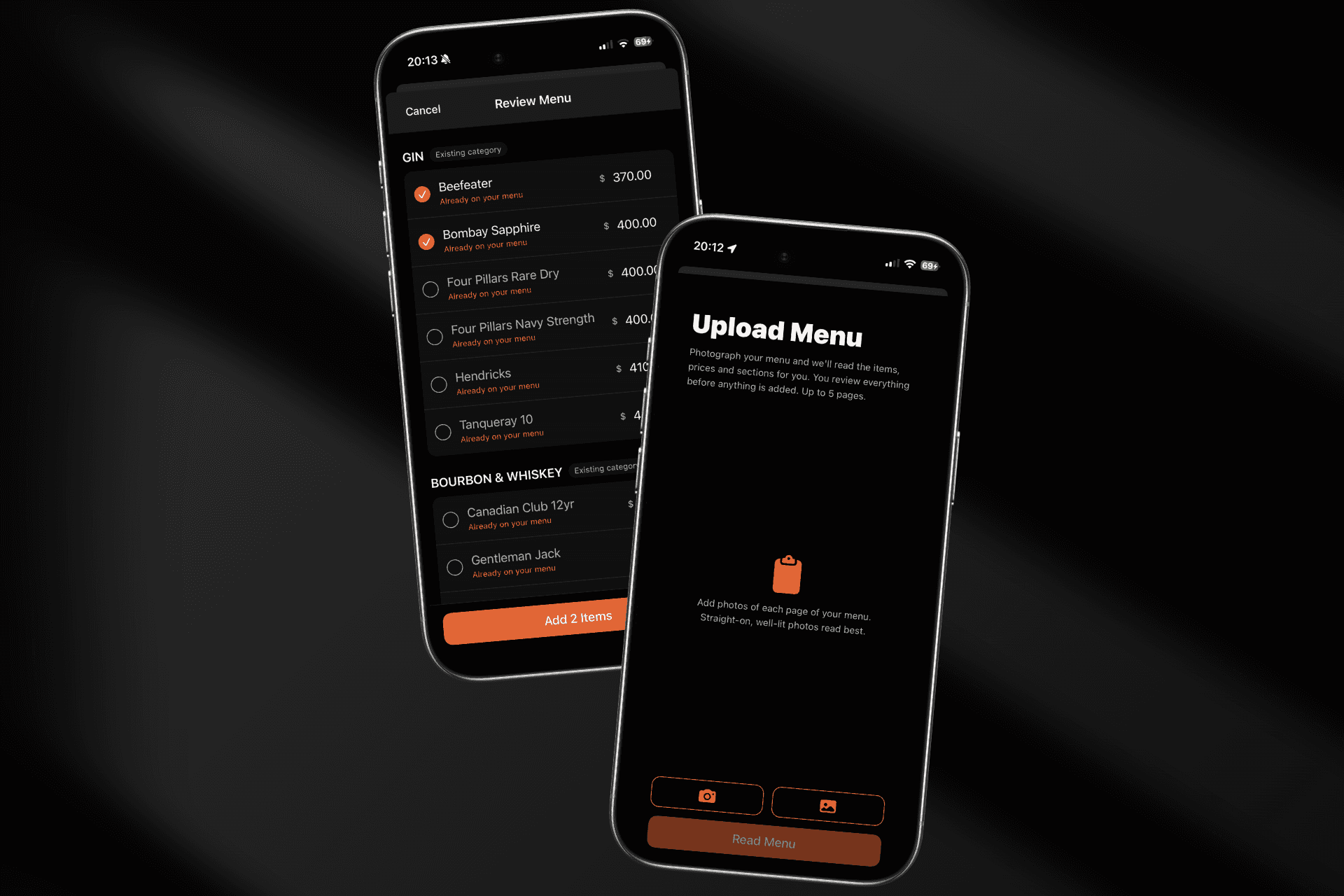
📸 Menu Photo Upload (new)
Setting up your menu is now as easy as photographing it. Snap or upload up to 5 pages of your printed menu and DQ reads every section, item, and price for you. You review everything before it's added — fix a price inline, untick anything read wrong, and skip items already on your menu (we flag duplicates automatically). New sections become categories on the tab you're editing. A full bottle list imports in under a minute.
✅ Run List for service staff
The Orders tab now doubles as a task checklist on phones — every drop, top-up, and payment task for the night in one list, ticked off as you go. Checkbox access follows order-management permissions, and tablets keep the kanban view.
📋 Pending booking requests, in one place
Review pending booking requests from a dedicated view with everything you need to approve or decline — no more hunting through the calendar for requests awaiting an answer.
✉️ Booking confirmations & guest lists
Send a booking confirmation or request a guest list straight from the booking's action menu, and walk-in bookings now get a proper confirmation page.
🌤 Light mode
DQ Core now follows your device's appearance setting, with a full light theme designed for daytime use.
📊 More accurate reports
Trading-day reports now run noon-to-noon, so a 1am sale counts toward the night it belongs to.
Complimentary payments are excluded from headline revenue totals.
Stock reports count only committed orders, and Door Take totals are fixed.
Date navigation in reports is steadier across the board.
🧾 Receipts & chat
Receipts now show who requested and processed each payment (with their role), and chat message reactions are complete — they persist and everyone sees them.
⚙️ Under the hood
A major sync-engine upgrade makes offline use and busy-night reconnects far more resilient, Android long-press menus work properly everywhere, and double-taps no longer open a screen twice.
Introducing DQ Core
Introducing DQ Core
We're excited to launch DQ Core — a brand new 100% mobile platform built for VIP, General Admission and Events. It's the same DQ operational DNA you already trust, rebuilt from the ground up to get a venue live in minutes and work fast in the palm of your hand.
DQ Pro remains fully supported, however, feature updates and development will continue in the DQ Core eco-system.
Migration is available for existing DQ Pro teams ready to switch. Your past events, menu, bookings, guests and tags can all be migrated when you choose to switch across.
🚀 Get Started in Under 5 Minutes
No sales call, no onboarding queue. Download the app, create an account, and start building your venue:
Self-serve setup — create your venue, add your floor, and build your menu straight from your phone.
Instant staff invites — bring your team on board and assign roles in seconds.
Free to start — DQ Core has an always-free tier, so you can try it with zero commitment.
DQ Pro → DQ Core Migration - You’re not starting from scratch. Your past events, menu, bookings, guests and tags can all be migrated when you choose to swap.
🪑 Run Your Floor
Live floor view — sections and tables update instantly across every device, so the whole team sees the same picture in real time.
Open & close tabs — seat a booking to open a tab, and close it the moment the balance is settled.
Table merging — combine tables for bigger parties into a single tab, led by one primary table.
📅 Bookings, Events & the Guest List
Events — every night or occasion your venue runs, with its own bookings and guest lists.
Bookings — reservations from your website or added on the spot for walk-ins and phone bookings.
Guest lists & Ticketing — run the door separately from table service, with check-in as guests arrive, payments and tickets.
Booking activity log — a permanent, uneditable record of every seat, table change, approval, and cancellation.
🍸 Orders, Built In
Order straight from the table — build an order against any open tab in a few taps.
Kitchen/bar board — track every order from pending through to delivered.
Full line-item history — nothing is ever summarised away, so every order is fully auditable later.
💳 Take Payment However Your Guests Want
Manual payments — cash, card, or comp.
Tap-to-Pay & card reader — take real card payments in-app, no extra hardware required for Tap-to-Pay.
QR pay-at-table — let guests pay themselves from their own phone.
Payment requests & refunds — request help from a manager, or issue a refund straight from the receipt.
🧑🤝🧑 A Guest Book That Grows With You
Guest CRM — every guest's history in one place, shared across your company.
Manual tags — tag guests, items, events, and packages so your team always knows how to look after someone.
Automatic insights — behaviour-derived tags like "Regular" or "Likes Vodka," worked out from each guest's own history.
🔔 Keep the Floor Connected
Staff call and messaging — call a manager, runner, or security with one tap, from anywhere on the floor.
Full notification history — every request and push, deep-linked back to the relevant booking or tab.
📊 Know How the Night Went
Operations, stock, and transaction reports — reconciling a shift takes minutes, not a spreadsheet.
Order history — the complete, searchable record of everything ever sold.
🔐 Roles Built for the Floor
Seven roles — Owner, Manager, Host, Waiter, Promoter, Runner, and Dispense — so everyone sees exactly what they need and nothing they don't.
Ready to get started? Head to our DQ Core setup guide to have your venue live today.
Staff Booking Expansion
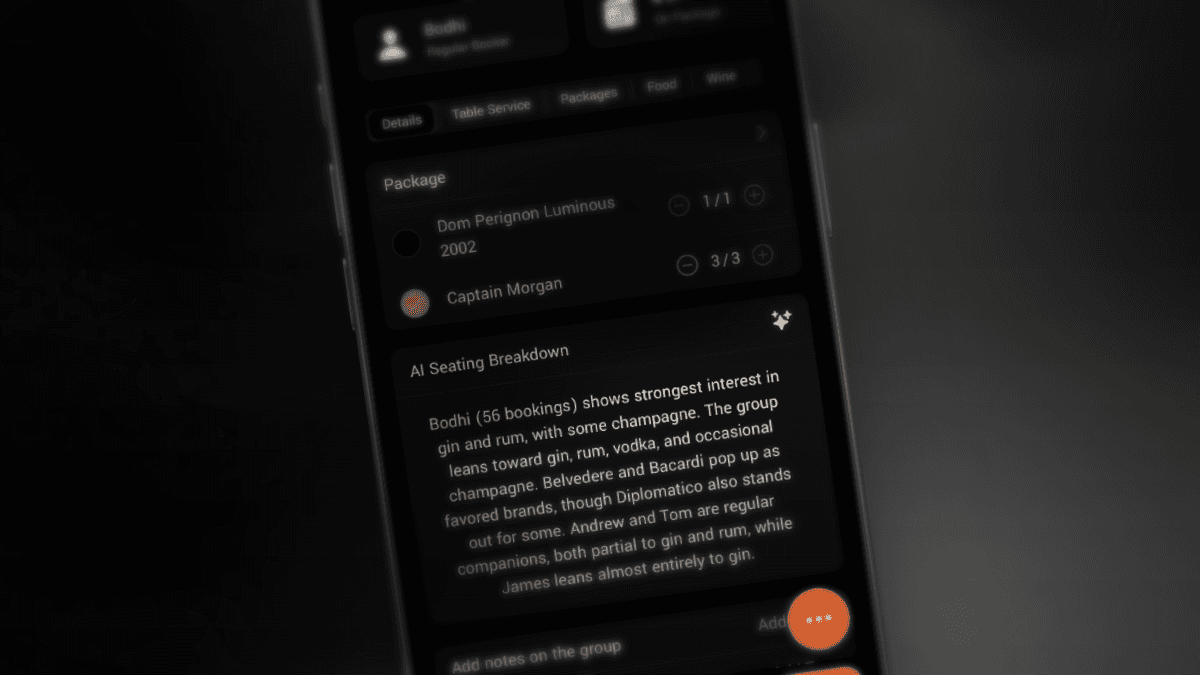
6.2.0 Update Overview
This update brings significant improvements to our UI, reporting for bookings, and AI-powered booking insights — helping your staff better prepare for every table.
We’ve also made lots of improvements to our CMS.
🚀 New Features & Enhancements
AI Seating Breakdown: Now provides insights into bookings based on guest data and history.
Guest History: Booking notes are now visible within the guest’s history.
Payment Refunds: Added confirmation prompt for refund methods where DQ doesn't handle the transaction.
Tags and Notes via the Menu Page: Prompts to add notes and tags to a booking during service.
Tab Closeout Actions: Prompts to add notes and tags relating to a booking when the table is being closed.
Empty States in CMS: Introduced empty state visuals across CMS pages for new venues.
No Data Visuals in Reports: Improved visuals for reports with no data during the selected time range.
CSV Exporting: Added CSV export functionality for events and guest searches.
Duplicate Profile Detection: Improved logic to better detect and manage duplicate guest profiles.
🎨 UI & Styling Improvements
CMS Enhancements: Multiple improvements across Menu, Table, and Event editing pages.
Operations App: Refined styling on the main menu and standardized the event component across the app.
Package Cards: Updated to match standard iOS styling, replacing custom visuals. Improved appearance in various locations.
Event Listings: Improved ordering logic and visuals for better usability.
Search Bar Formatting: Fixed formatting issues for better consistency.
Table Selection: Improved table order when selecting tables.
Notification Focusing
6.1.0 Update Overview
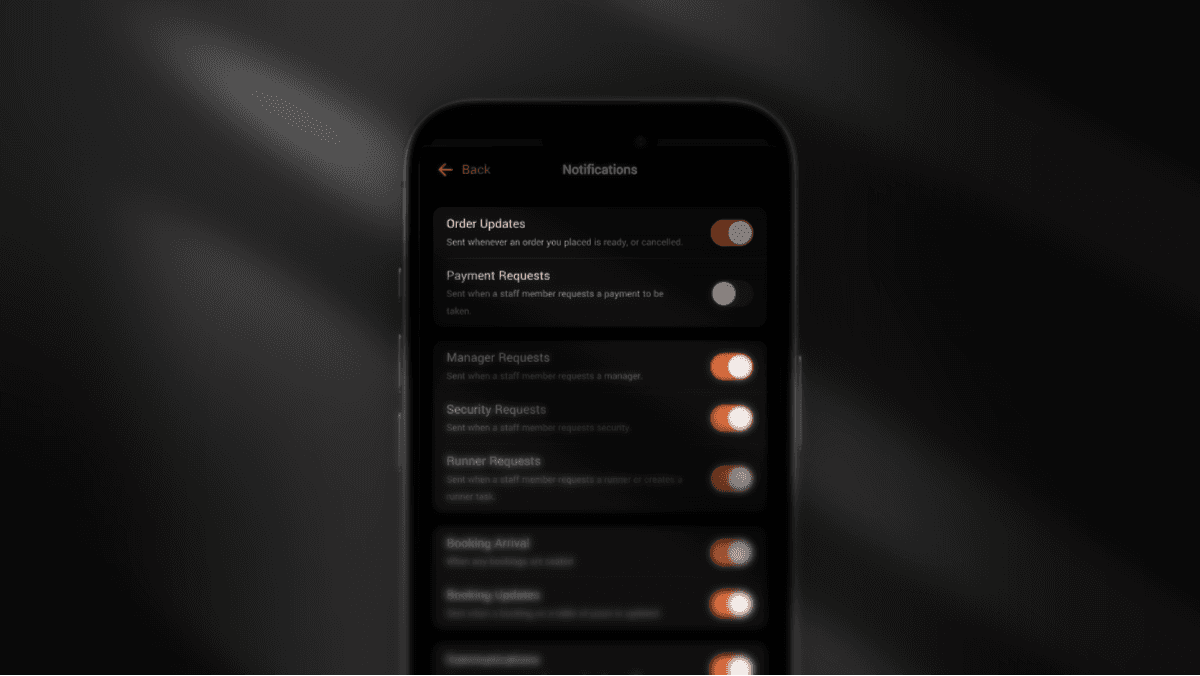
This quick update focuses on reducing notification overload and giving you better visibility into what notifications you receive.
What's New & Improved
No More Notifications to Yourself
You’ll no longer receive notifications for your own actions, like requests or orders.New Notifications Overview Page
Added to the Operations app to help you manage and understand your notifications.Improved Booking Options Menu
The menu (three dots in the top right of a booking) is now easier to use.Booking Confirmations Now Manual
Booking confirmations are no longer sent automatically when bookings are created in the Operations App. Use the new “Send Confirmation” option in the menu to email/SMS booking confimations.Refreshed Receipt History Design
The receipt history for payments and bookings has a cleaner, updated look.Updated Guest History Timeline
The guest history timeline has a new and improved design.Faster Tab Summary Updates
The Tab summary now updates more frequently for better accuracy.
Bug Fixes
Fixed Display of packages with no item inclusions.
Fixed notifications for empty packages
Resolved Hitboxes for guest list related items
Resolved Selecting Guests for walk in situations
Booking Simplifications
Update Overview
This update includes significant improvements to help you better manage client data and bookings.
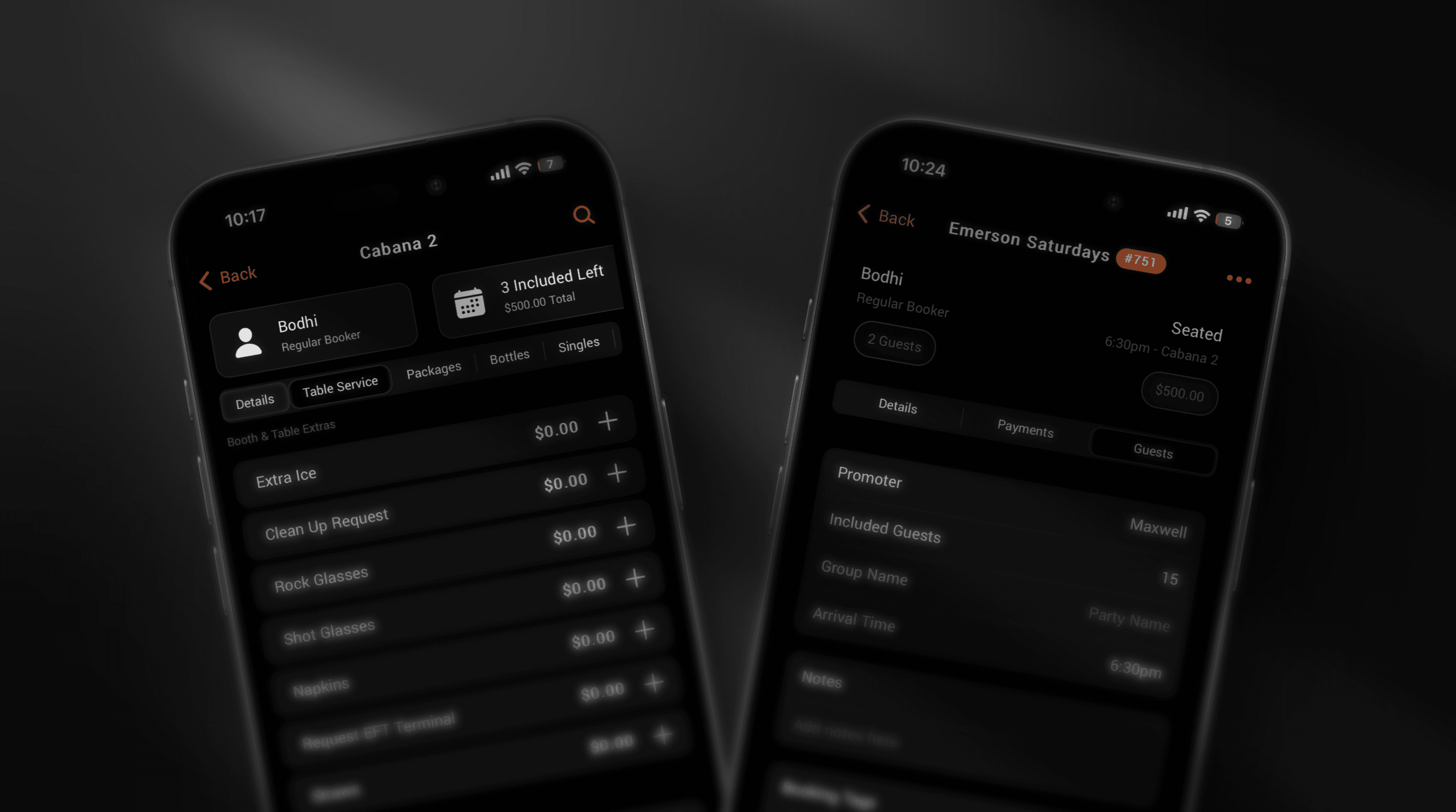
The most noticeable changes are in the Menu and Bookings tabs, offering improved navigation for table bookings. In particular, we have aligned the behavior of walk-in tables and bookings and enhanced the management of package and item selection.
Menu Tab
We've removed the Featured Items section above the booking tile and replaced it with four key tiles to help you manage bookings more efficiently:
Guest – Displays important information about the guest who booked the table and provides access to guest details, history, and metrics.
Package – Displays information about the package and navigates to booking conditions such as included items and payments.
Tab – Shows the current cumulative spend and any outstanding amounts. This tile navigates to the Tab section.
Guest List – Displays how many entries are permitted for the booking and how many guests have arrived. This tile navigates to the Guest List and Notes section.
Bookings Tab
We've redesigned the Bookings tab for greater flexibility and ease of use. Walk-ins and pre-scheduled bookings now appear here.
Don't have a name for your Walk-in? Use the "Group Name" in Package > Guests and this will show on the tables page.
More Improvements & Fixes
Walk-ins now appear in the "Bookings" tab and are treated like regular bookings.
Walk-ins are automatically added to the closest event.
Opening a table for a guest is now a one-tap process. Walk-in details such as Guest, Package, and Guest List can be added afterward.
Bookings can now be moved between events.
Cancelled and finished bookings no longer appear in the "Active" bookings view.
The Guest List unlocks when "Invite Guest" is pressed.
Guest Notes have an improved look and feel.
Notifications can now be dismissed by swiping up.
Unseated bookings from past events no longer appear in the "Upcoming" bookings list.
User Interface Enhancements
Removed notifications on hover from CMS.
Updated number field visuals for faster input and better selection.
Added a numeric keyboard for fields such as "Minimum Spend" and "Deposit."
"Done" button added to the keyboard.
Autofocus enabled on pages with a single input field.
DQ Logo now supports Dark Mode on iPhone.
Fixed Runner & Manager request visuals.
Security and Manager requests now time out if not resolved within a service window.
Run list items now follow the same order as other orders in table-based views.
Improved rendering on the Orders tab.
Card and Cash requests are now displayed more clearly on the Orders tab in Tablet Mode.
Improved table filtering in the CMS floor plan.
Other Performance Enhancements
Improved haptics throughout the app.
Updated text descriptions across pages.
Removed mobile-only booking interactions from the desktop version.
Removed unnecessary action buttons from the Bookings page.
Improved permission requirements for opening tables.
Added empty states to all operations pages.
Updated the check-in notification to better support Walk-in Bookings.
Added an alert when opening a table via swipe.
Updated the "Finish" state visuals for order cards.
Added a timeout to the order page for a better loading experience.
Country flags and phone prefixes now appear when adding staff.
Improved capitalization of names.
Optimized the timeout of stale data for power users.
Improved keyboard interactions.
Other Fixes
Fixed a bug preventing the DQ CMS Guest Smart Search from generating search parameters.
Fixed an issue where payments with display did not show success properly for full payments.
Fixed visual bugs related to the Ionic Framework v7 update.
Fixed PayNow QR code from Stripe.
Fixed text color issues on the Bookings page.
Fixed partial requests not always being allowed after seating.
Fixed several typos.
Fixed an issue where payment display closeouts did not show success for full payments.
Fixed a bug affecting the action button for creating guests.
Live Insights
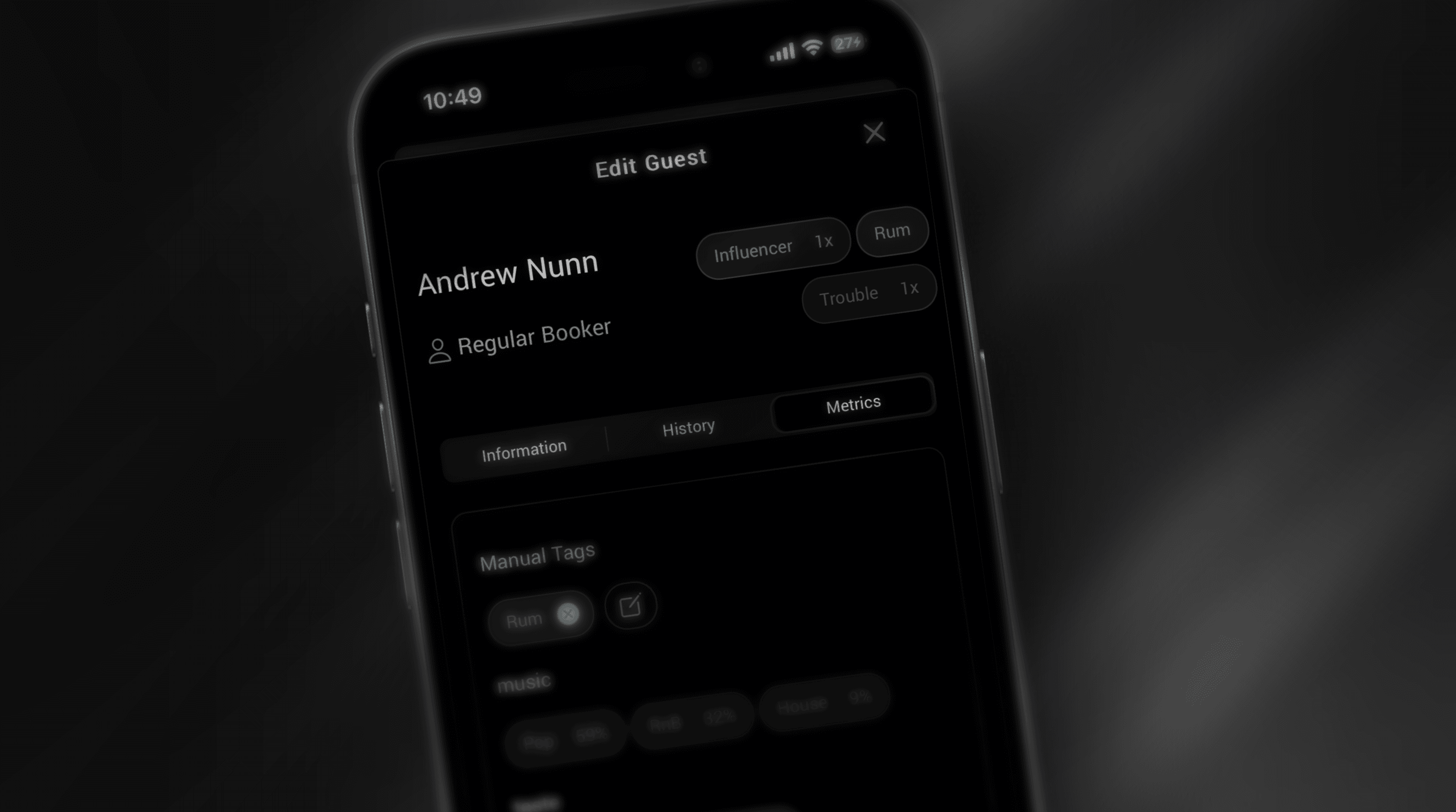
Surface deep insights only accessible by tightly coupled booking+operational data. North Star for phase one: a venue wants to be able to understand guest preferences, how often they come, and who might be invited back soon (and to what).