
DQ changelog
DQ Core 1.6.0 — Menu Photo Upload, Run Lists & a smarter night's reporting
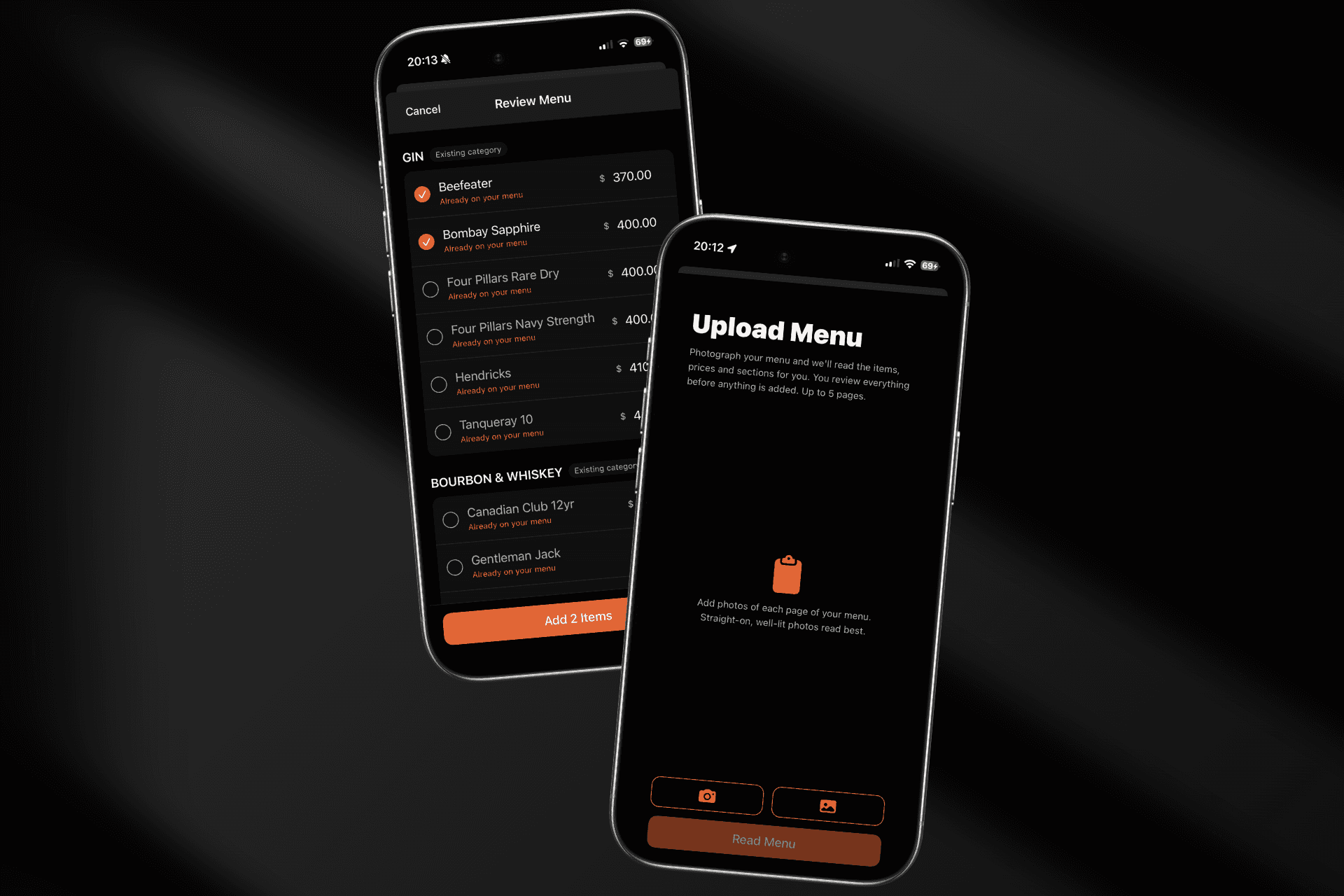
📸 Menu Photo Upload (new)
Setting up your menu is now as easy as photographing it. Snap or upload up to 5 pages of your printed menu and DQ reads every section, item, and price for you. You review everything before it's added — fix a price inline, untick anything read wrong, and skip items already on your menu (we flag duplicates automatically). New sections become categories on the tab you're editing. A full bottle list imports in under a minute.
✅ Run List for service staff
The Orders tab now doubles as a task checklist on phones — every drop, top-up, and payment task for the night in one list, ticked off as you go. Checkbox access follows order-management permissions, and tablets keep the kanban view.
📋 Pending booking requests, in one place
Review pending booking requests from a dedicated view with everything you need to approve or decline — no more hunting through the calendar for requests awaiting an answer.
✉️ Booking confirmations & guest lists
Send a booking confirmation or request a guest list straight from the booking's action menu, and walk-in bookings now get a proper confirmation page.
🌤 Light mode
DQ Core now follows your device's appearance setting, with a full light theme designed for daytime use.
📊 More accurate reports
Trading-day reports now run noon-to-noon, so a 1am sale counts toward the night it belongs to.
Complimentary payments are excluded from headline revenue totals.
Stock reports count only committed orders, and Door Take totals are fixed.
Date navigation in reports is steadier across the board.
🧾 Receipts & chat
Receipts now show who requested and processed each payment (with their role), and chat message reactions are complete — they persist and everyone sees them.
⚙️ Under the hood
A major sync-engine upgrade makes offline use and busy-night reconnects far more resilient, Android long-press menus work properly everywhere, and double-taps no longer open a screen twice.