
DQ changelog
DQ Core — Multi-Section Floorplan (BETA), password reset improvements & longer sign-ins
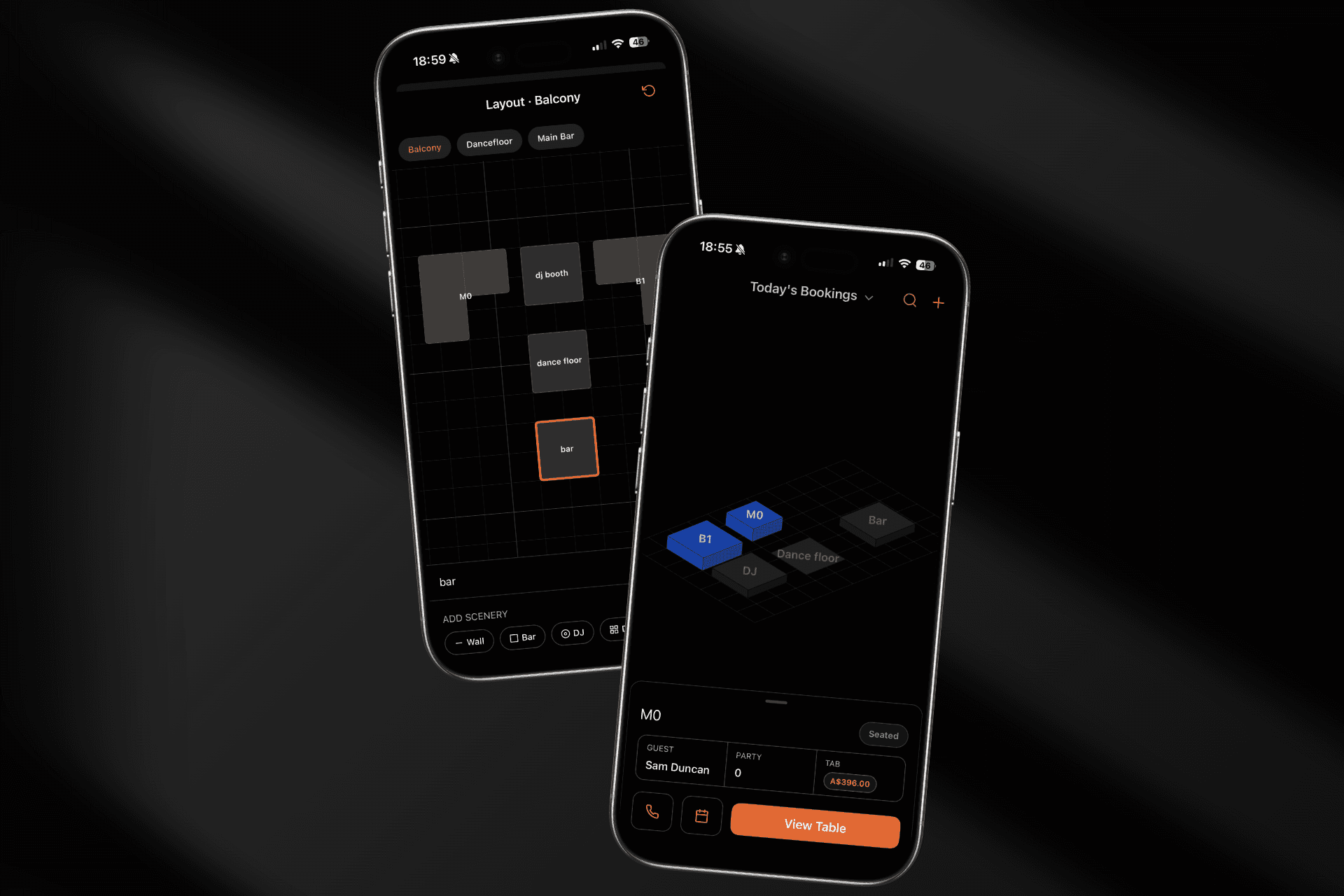
A maintenance update focused on getting you back into the app faster and keeping you there, plus an early look at something we're really excited about.
🗺 Floor plan map (now in BETA)
A floor plan view of your venue the way it actually looks. The new floor plan turns your table list into a live map, colour-coded by status, so you can read the room at a glance — and seat a booking straight from the map. Build your layout with the drag-and-drop editor: place tables, drop in walls and features like the bar or DJ booth, then rotate and resize everything to match your real floor.
This is an early beta, available on iPhone and iPad and rolling out to venues gradually. Want it switched on for yours? Navigate to Profile > Settings and Floorplan.
🔑 Code based password reset
Forgotten your password? Tap Forgot password and we'll email you a code to reset it right in the app. No more dead ends.
🔓 Stay signed in
Sign-ins now last far longer, so you're not being logged out every week. We also fixed a bug where reopening the app after a while could show a blank screen - you now land straight back on your venue, or on the login screen if your session has genuinely ended.
🪑 Tables quality of life
New Booking on a table now opens that table's booking directly, instead of routing you through the Bookings tab first.
On Android, swiping a table row no longer fights with scrolling the list vertically.
💬 Help & feedback in your profile
Your profile now has quick links to the Help Centre and to send us feedback, along with a card showing the latest product update.
✨ Polish
Clearer empty states across the Bookings and Reports tabs, so a quiet night or an event with no bookings reads properly instead of looking broken.