
DQ changelog
DQ Core — Staff allocation: every table, looked after
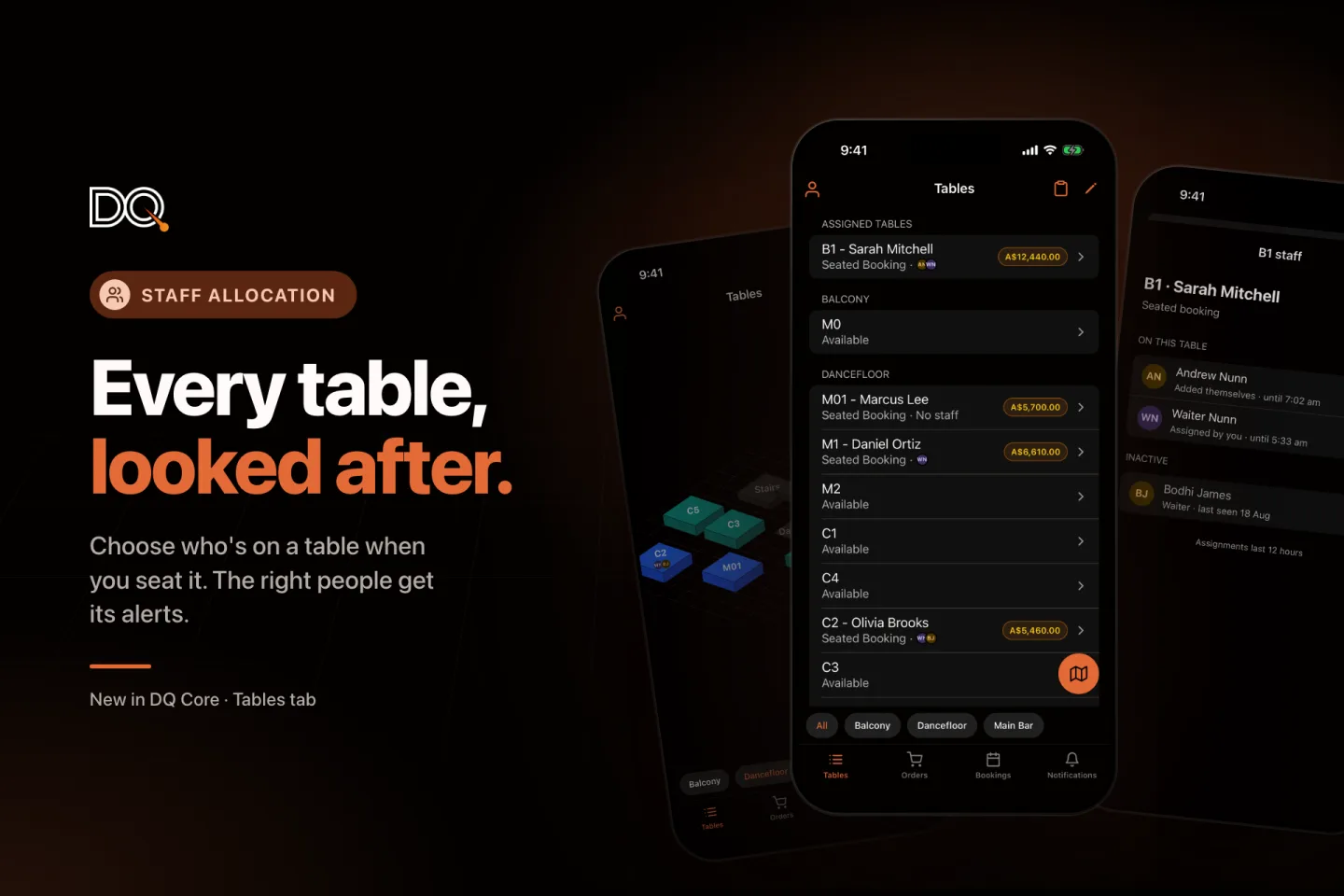
Until now, nobody was told who should look after a table when it was seated, and a table someone swiped weeks ago kept sending them its alerts. Staff allocation fixes both: every seated table has the right people on it, and their alerts go to them.
👥 Choose who's on a table when you seat it (new)
When an owner, manager or host taps Seat Booking, DQ asks who's looking after the table. Pick one or more people and tap Seat and notify, or Seat without assigning.
Waiters are listed first, then hosts, alphabetically. Anyone who hasn't opened DQ at your venue for 30 days drops to an Inactive group at the bottom.
Each person shows how many tables they're already on, so you can spread the load.
The people you pick get the arrival alert, then that table's Order Ready, cancelled and voided-item alerts.
🍸 Waiters who seat their own table take it
When a waiter seats a booking and nobody is on the table yet, they're put on it automatically. No extra step for venues where waiters run their own section.
👀 See who's on every table
The Tables tab shows small initials next to each seated table, and No staff where nobody is looking after it. The same initials appear on the floor plan map.
✏️ Change it any time
Open Staff… from a table's long-press menu, tap its initials, use the Staff row on the table's Details tab, or the people button on the floor plan card. Every change saves instantly.
Swipe right on a table to take it yourself, and again to drop it.
Owners, managers and hosts can assign anyone. Waiters can add or remove themselves and see everyone else read-only.
📋 Bulk assign before doors open
Tap the clipboard in the Tables header, tick tables (or Select all for a section) and choose who's on them. Each person gets one alert listing their tables. Clear staff empties the selected tables.
⏱ Assignments last 12 hours
Assignments clear themselves after 12 hours, so last week's waiter stops getting tonight's alerts. If the table is still seated, they stay on it until the booking finishes (up to 24 hours). If a seated booking moves table, its staff move with it.
Staff allocation is switching on venue by venue. If your venue doesn't have it yet and you'd like it, let us know.
📘 Updated guides
The Manager, Host and Waiter training guides now cover allocating staff, and the in-app Quickstart Guide does too.
✨ Fixes
Cancelling an order no longer leaves its amount on the bill as unpaid, so Close Tab works straight away.
Cancelled orders now show on the bill as Cancelled · not charged.
A bill that's already closed no longer offers Close Tab.
The order screen showed "Table Table 3". Fixed.
Android order cards no longer cut "just now" off to "just".
Staff changes made while you're offline now say so, instead of failing silently.