
DQ Core training: Waiter
Seat, order, take payment and send for everything else. Your shift in DQ Core, step by step.
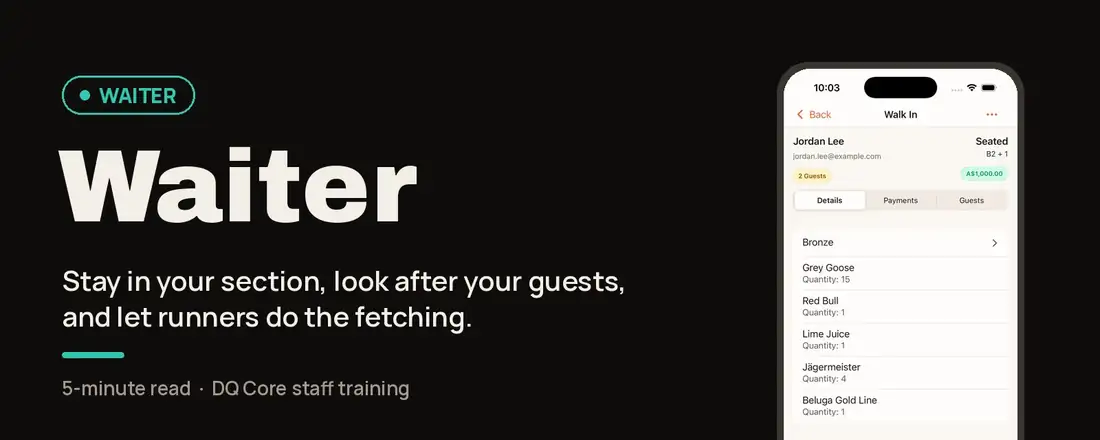
Your role in one line: You own your tables: seat, order, take payment, and send for everything else.
Why it works this way: Servers serve. Bussers fulfil.
Stay in your section with your guests. Runners fetch, deliver and clear, so you never leave the floor. Faster service, higher sales, cleaner sections.One source of truth: every order, payment and request goes through DQ Core, so the whole team sees the same table.
Your shift, step by step
Before service
1. Take your tables
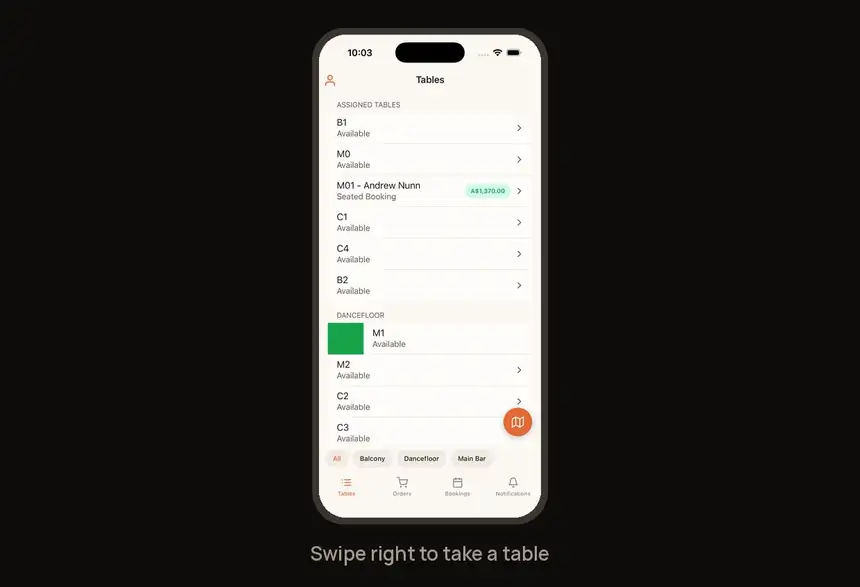
Open your table list and swipe right on a table to assign it to yourself.
During service
2. Seat the guest
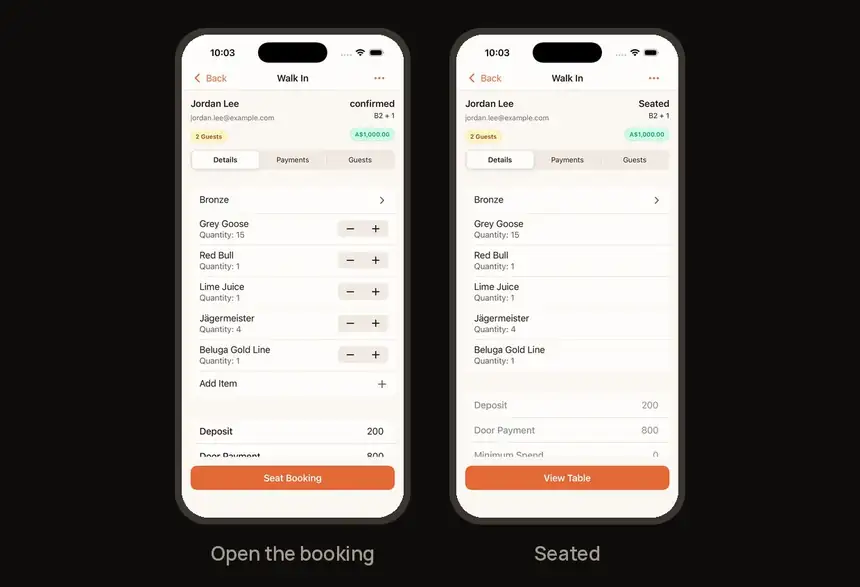
Open the booking and tap Seat Booking.
3. Order
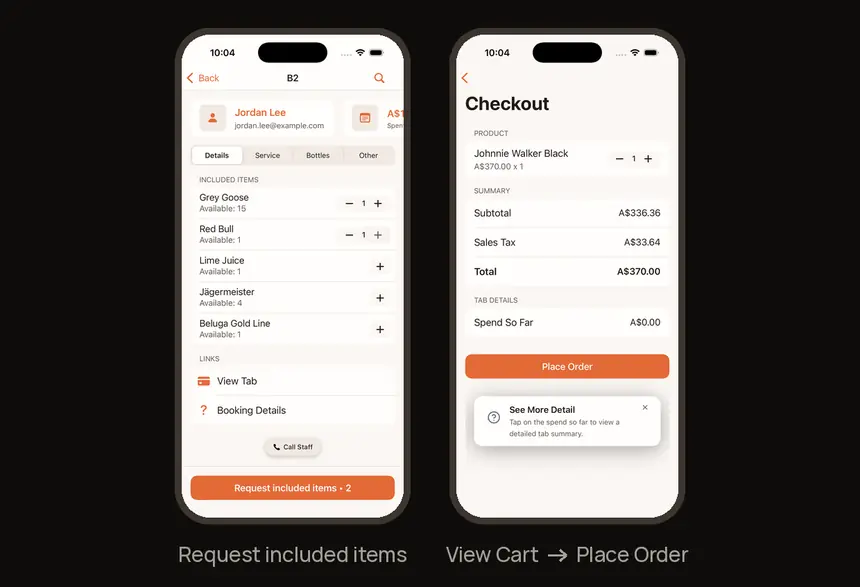
Package items: open the Details tab and tap Request included items. Anything else: add from the full menu, then View Cart → Place Order.
4. Take payment
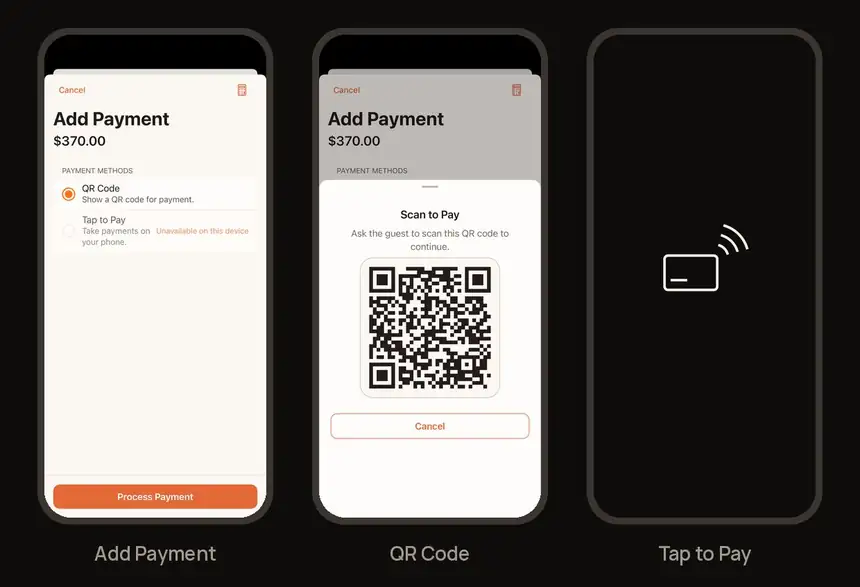
Go to Booking → Payments → Add Payment and choose QR Code or Tap to Pay. You can also tap Request on the Tab screen.
5. Ask for help
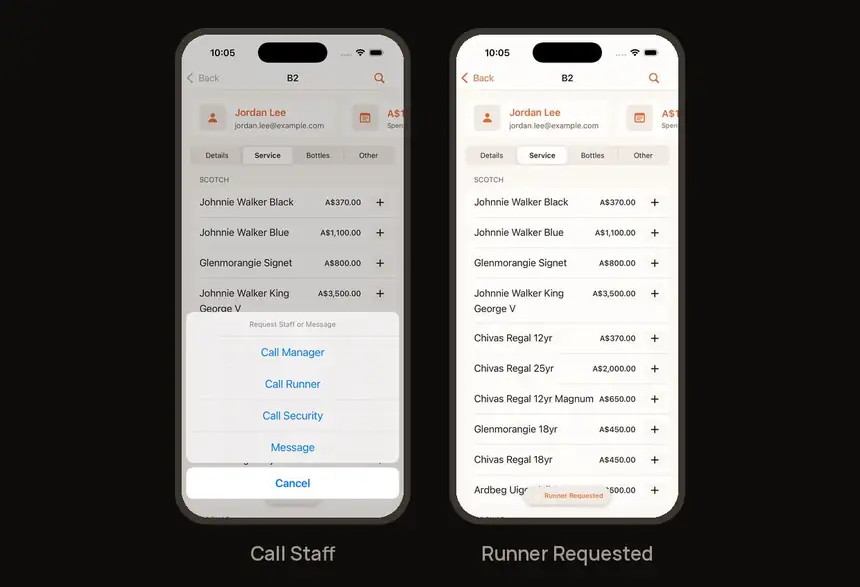
Tap Call Staff (bottom centre), then Call Manager, Call Runner or Call Security.
End of night
6. Close the table
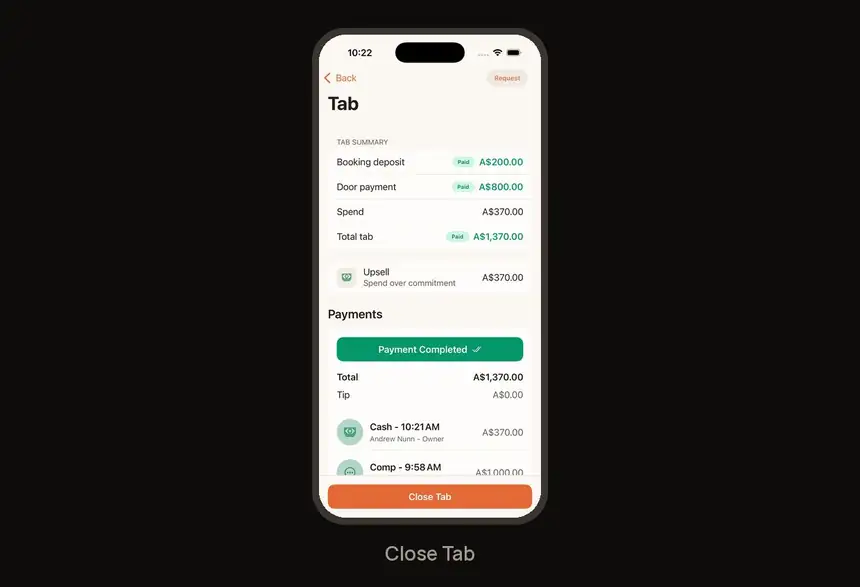
Go to Payments → View Full Tab Details → Close Tab. All payments must be settled first.
Find it fast
| I need to… | Go to |
|---|---|
| Take a table | Table list → swipe right |
| Seat a booking | Booking → Seat Booking |
| Order package items | Booking → Details → Request included items |
| Order from the menu | Menu → View Cart → Place Order |
| Take a payment | Payments → Add Payment → QR Code / Tap to Pay |
| Get a runner, manager or security | Call Staff (bottom centre) |
| Close a tab | Payments → View Full Tab Details → Close Tab |
Try it now
Seat the demo booking → request one included item → Call Runner → show a QR Code payment. Four taps-worth of practice and you're ready for the floor.
Need help?
Tap Call Staff to reach your manager during service. For anything else, visit the Help Center at feedback.getdqd.com.
Was this helpful?