
DQ Core training: Host
Every guest listed, paid and seated. The night starts with you.
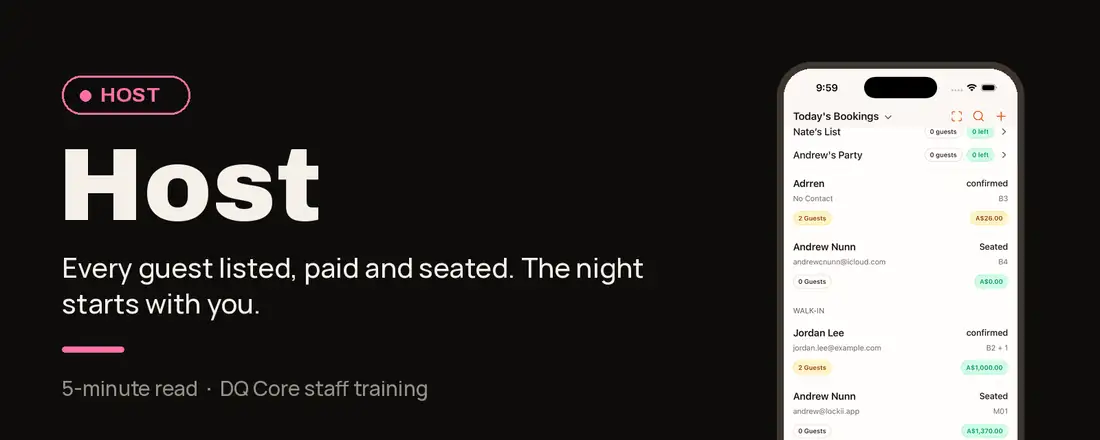
Your role in one line: You sell, check in and collect at the door, then seat the booking to hand it to the waiter.
Why it works this way: The door sets the night.
Collect the full guest list and payment before seating, because seating is what alerts the waiter.
Your shift, step by step
Before service
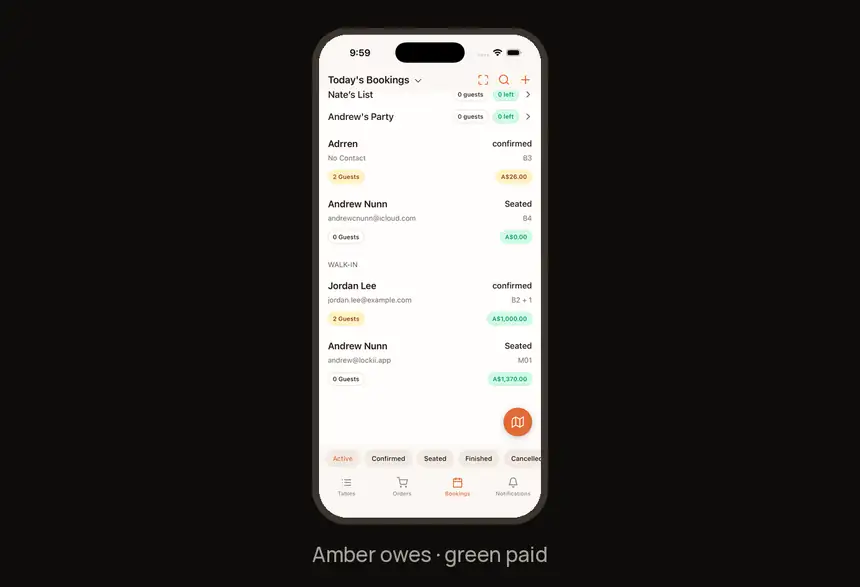
1. Check tonight’s bookings
The price outline shows payment: amber = owes money, green = paid.
2. Sell tickets and guest lists
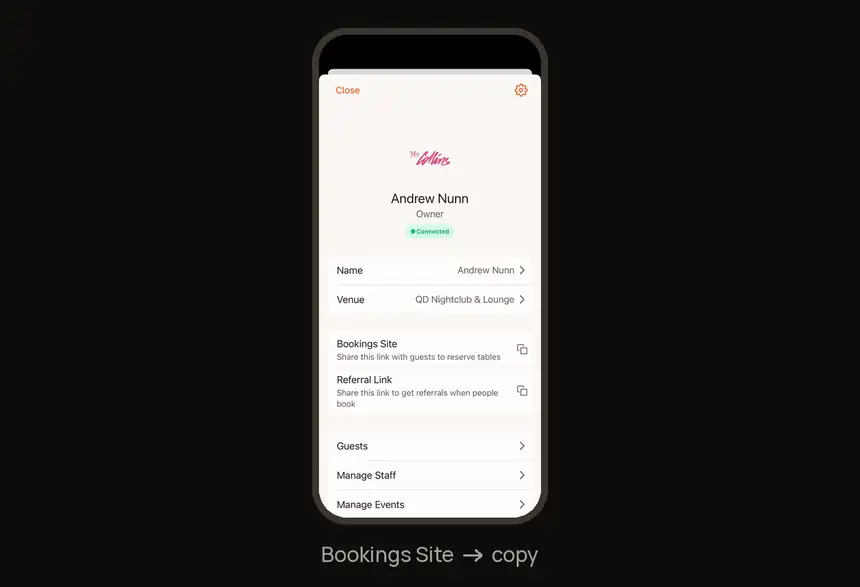
Share the booking and guest-list links. Profile → Bookings Site → copy.
During service
3. Sell a table
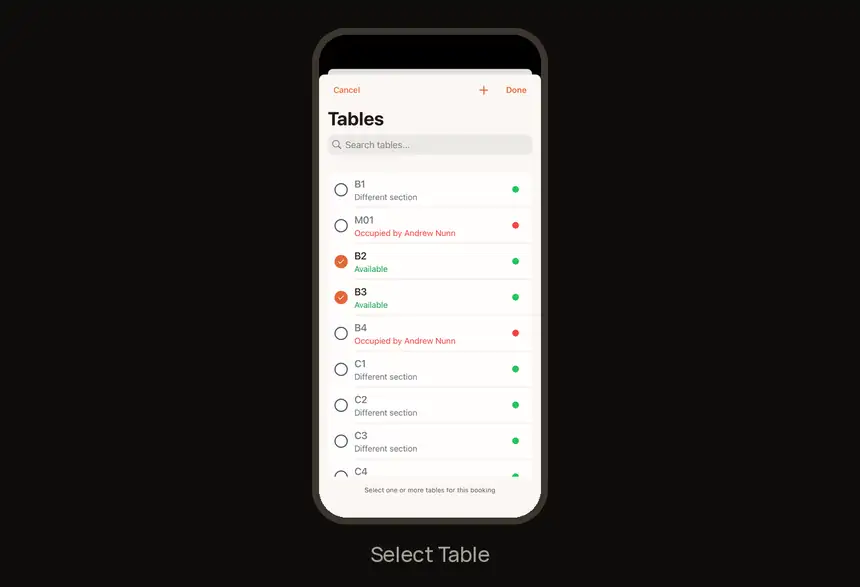
Bookings → + → Add Booking → package → guest → Select Table. Pick more than one table to merge them.
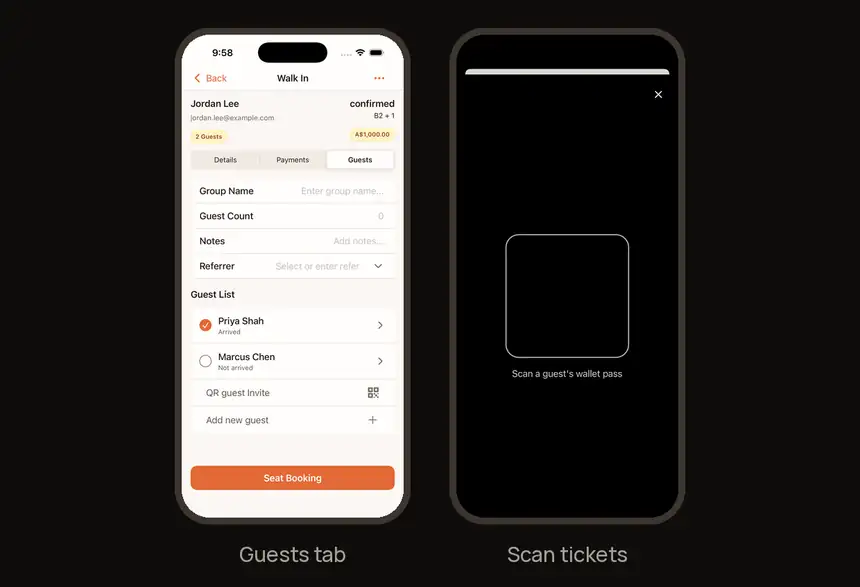
4. Check guests in
Tap the scan icon on Bookings to scan tickets, or tick guests off on the booking’s Guests tab. QR guest Invite collects the whole party’s details.
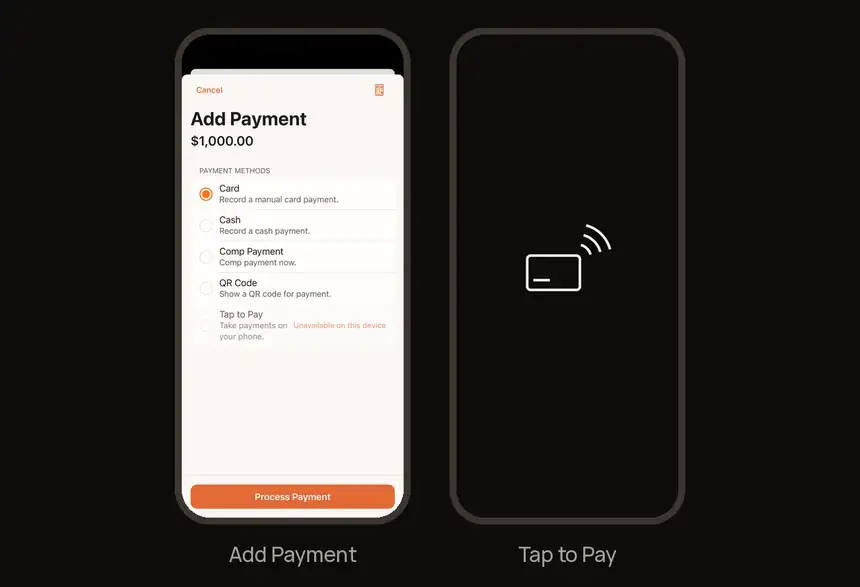
5. Collect paymentBooking → Payments → Add Payment → Card, Cash, QR Code or Tap to Pay.
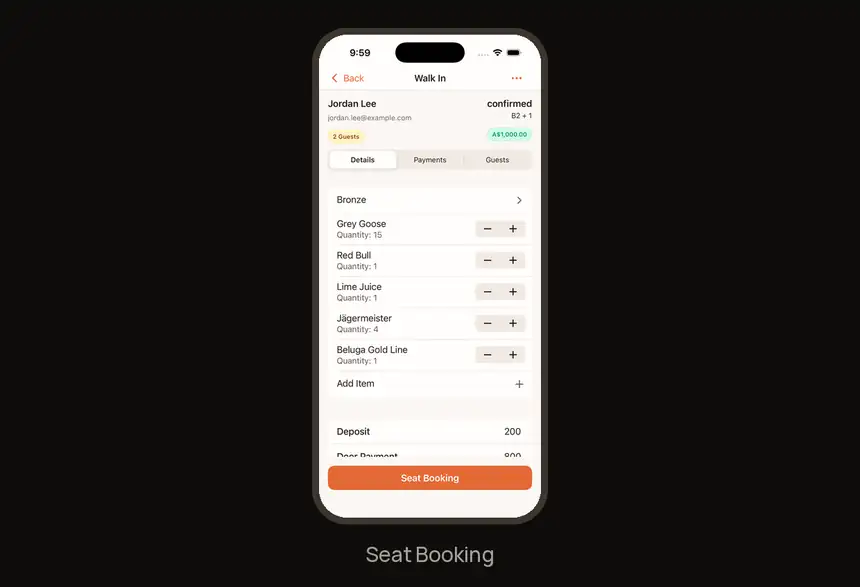
6. Seat the booking
Seat Booking alerts the assigned waiter, so seat only once the list and payment are in.
Find it fast
| I need to… | Go to |
|---|---|
| Who has paid | Price outline: amber = owes, green = paid |
| Sell a table | Bookings → + → Add Booking |
| Scan tickets | Scan icon on Bookings |
| Whole party’s details | Booking → Guests → QR guest Invite |
| Alert the waiter | Seat Booking |
Try it now
On the demo booking: Check in a demo guest, take a test payment, then seat the demo booking.
Need help?
Ask your manager on the night. For anything else, visit the Help Center at feedback.getdqd.com.
Was this helpful?