
DQ Core training: Promoter
Bring your people in, and see exactly who came and what they spent.
Your role in one line: You fill the room. DQ tracks who you brought and what they spent.
Why it works this way: One source of truth.
Your bookings sit in the same view as the door and the floor. No group chats or spreadsheets: the host sees your guests, and you see who turned up.
Your night, step by step
Before service
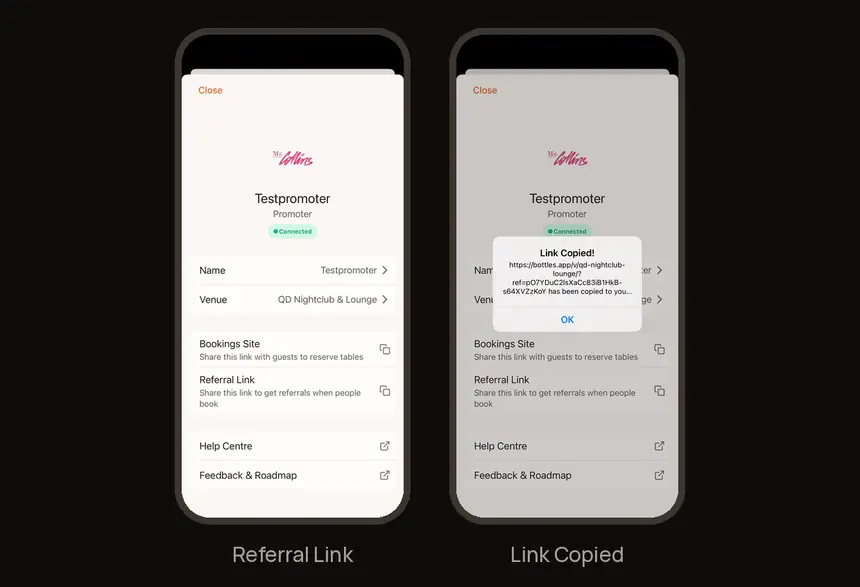
1. Share your linkProfile → Referral Link → copy, then send it to your guests.
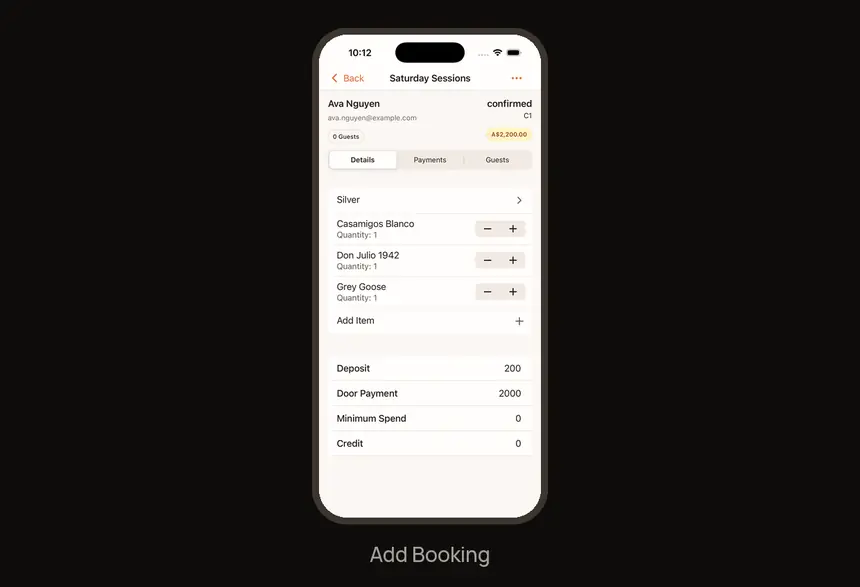
2. Book your guests
Bookings → + → Add Booking → package → guest → table.
End of night
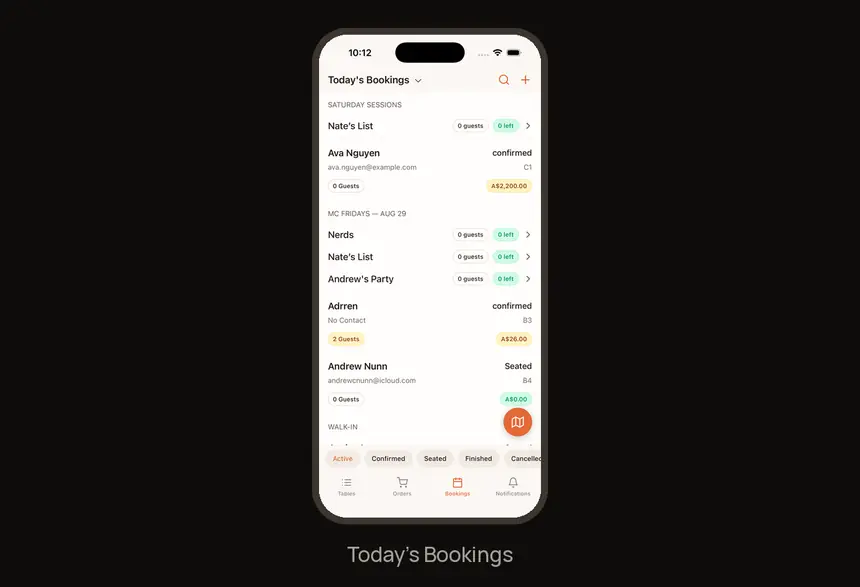
3. Track your night
Check Today’s Bookings for each booking’s status (confirmed or Seated) and spend.
Find it fast
| I need to… | Go to |
|---|---|
| Referral Link | Profile → Referral Link |
| New booking | Bookings → + → Add Booking |
Try it now
In your app: Open Profile, copy your Referral Link and send it to yourself.
Need help?
Ask your manager on the night. For anything else, visit the Help Center at feedback.getdqd.com.
Was this helpful?