
DQ Core training: Runner / Busser
Keep every order moving: first in, first out, 3 minutes or less. Also covers Dispense / Bar.
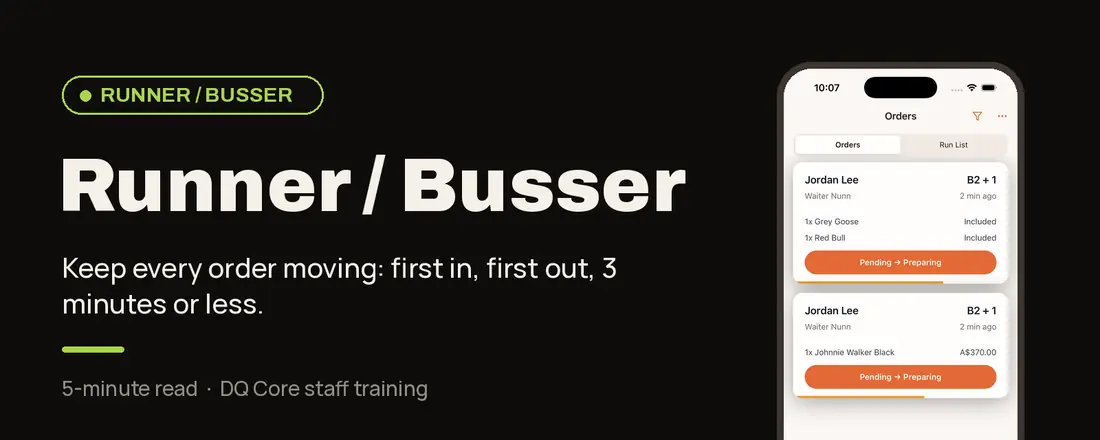
Your role in one line: You prepare, fetch and deliver, so servers never have to leave their section. This page also covers Dispense / Bar.
Why it works this way: Servers serve. Bussers fulfil.
You’re the engine. Servers stay with their guests; you bring the ice, glassware, mixers and deliveries. Work first-in, first-out and aim for 3 minutes or less per order.
Your shift, step by step
Before service
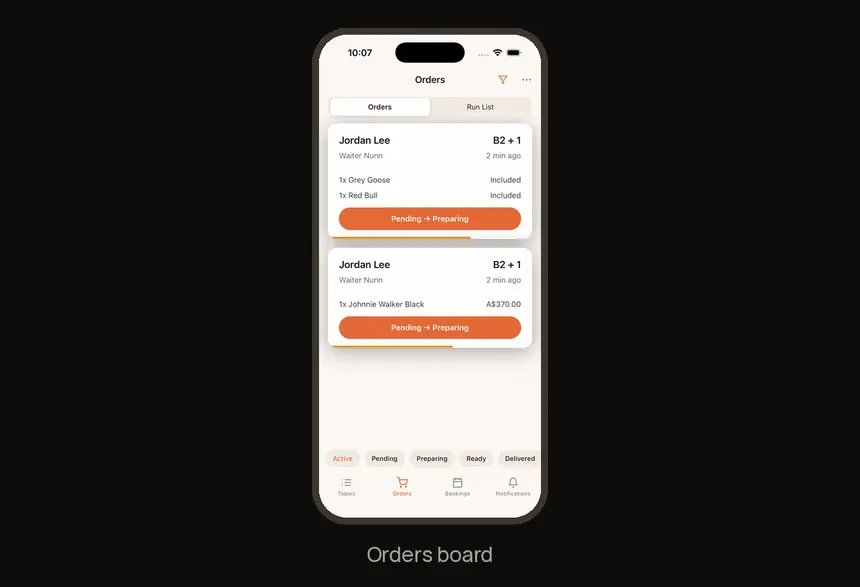
1. Open the Orders board
Keep Orders open, ideally on a tablet at the bar or dispense point.
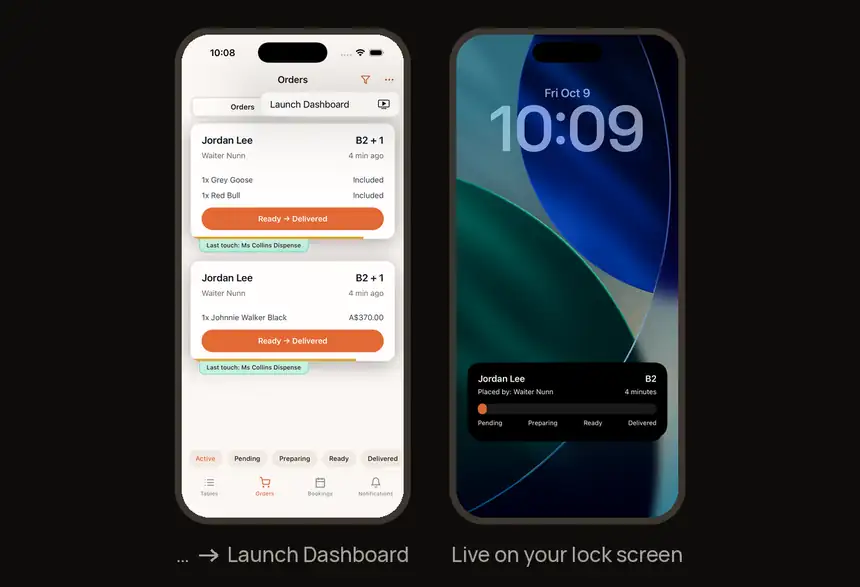
2. Put it on your lock screen
Optional: … on Orders → Launch Dashboard shows the live order on your lock screen.
During service
3. Move every order
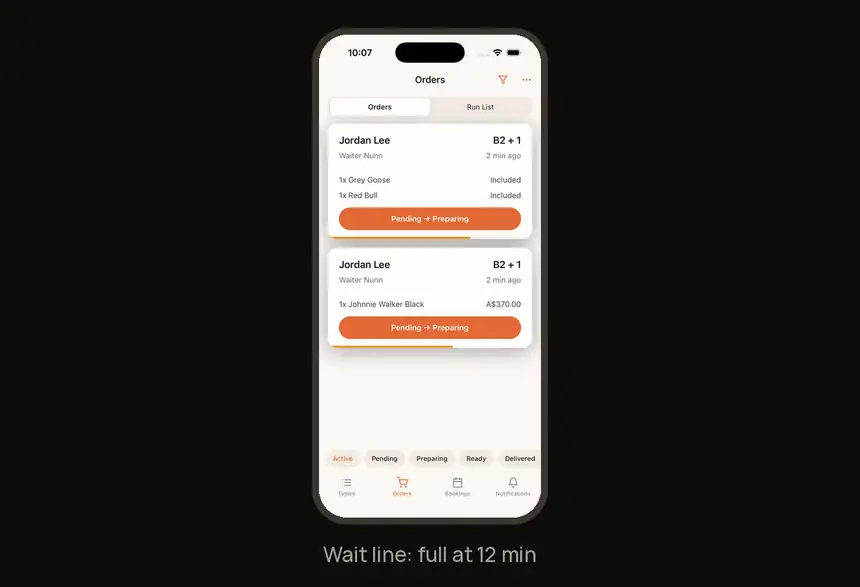
Tap the button on each card: Pending → Preparing → Ready → Delivered. Long-press a card for all options.
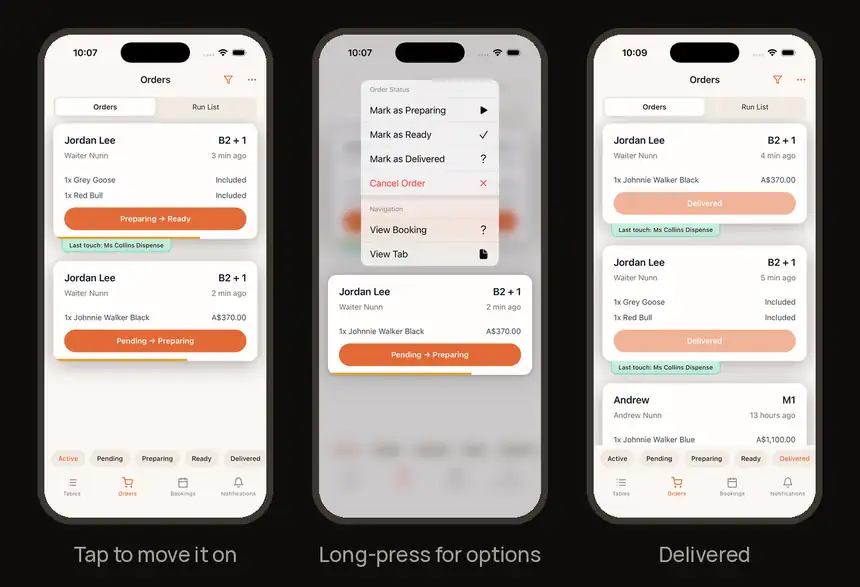
4. Watch the wait line
The coloured line under each card shows how long it has waited. It’s full at 12 minutes.
5. Accept runner requests
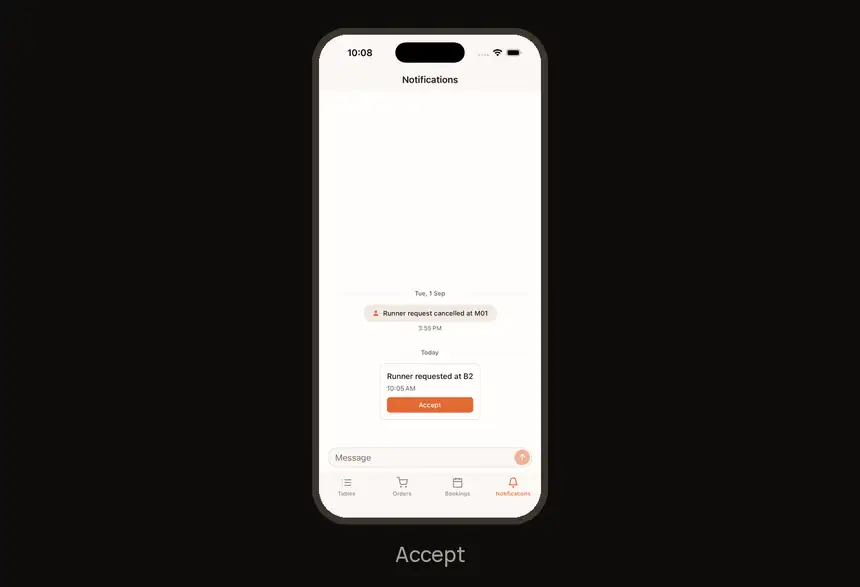
In Notifications, tap Accept so the waiter knows you’re on it.
6. Work the Run List
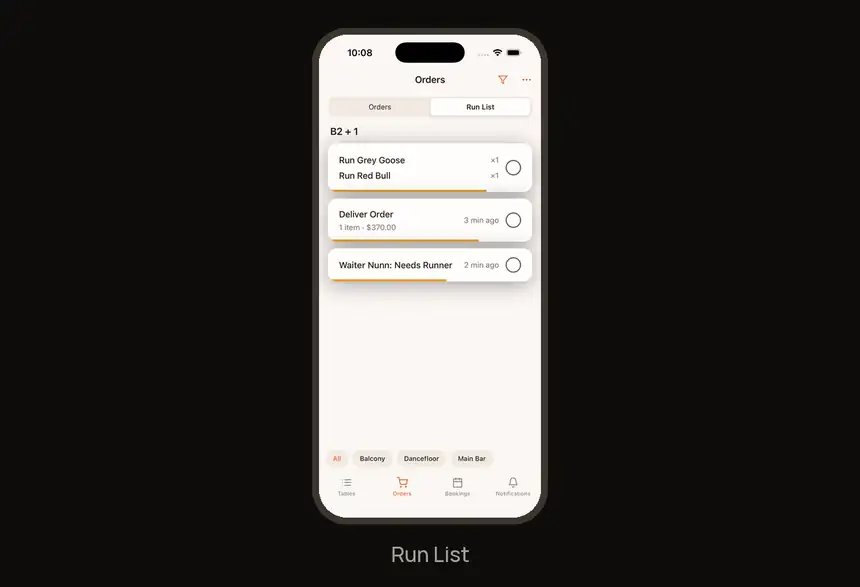
Tap Run List at the top of Orders for items to run and requests.
Find it fast
| I need to… | Go to |
|---|---|
| Orders board | Orders tab |
| All order options | Long-press an order card |
| Items to run, requests | Run List (top of Orders) |
| Runner requests | Notifications → Accept |
| Lock-screen board | Orders → … → Launch Dashboard |
Try it now
On the demo booking: Move the demo order through Preparing, Ready and Delivered, then accept a runner request.
Need help?
Ask your manager on the night. For anything else, visit the Help Center at feedback.getdqd.com.
Was this helpful?