
DQ Core training: Manager
Run the room from one screen and spend the night coaching, not chasing. (The Admin role in DQ.)
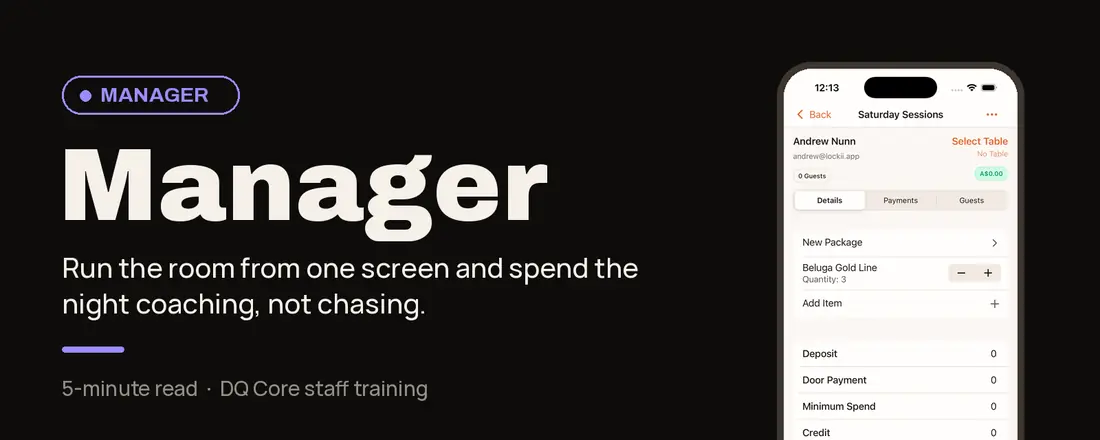
Your role in one line: You approve, assign and coach. Your waiters own their tables; you handle escalations. In DQ, this is the Admin role.
Why it works this way: Managers coach, don’t chase.
Servers own their client relationships and take payments directly. You observe, coach and handle escalations instead of firefighting.
Team rule to reinforce: Waiters order and stay on the floor. Bussers and runners fulfil.
Your shift, step by step
Before service
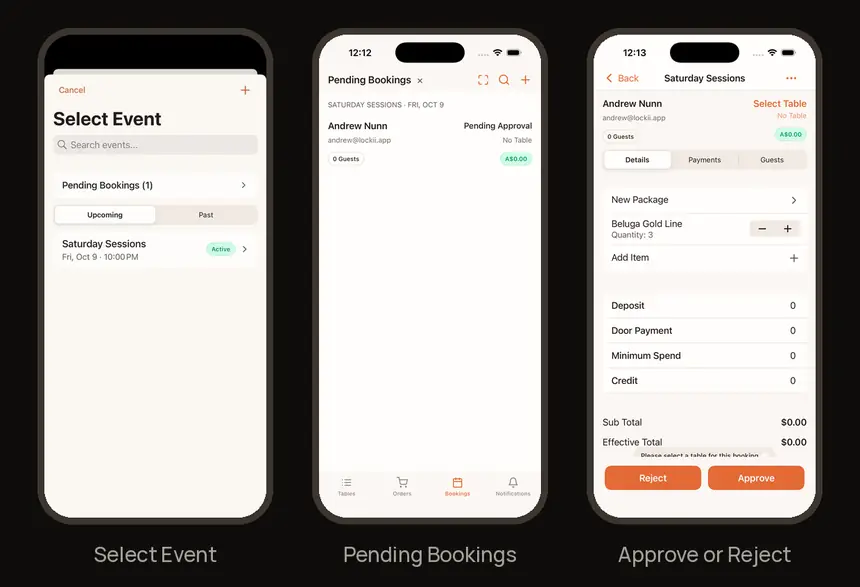
1. Approve tonight’s bookings
On Bookings, tap the event name at the top → Pending Bookings. Open each booking → Approve (or Reject). Pick a table if it has none.
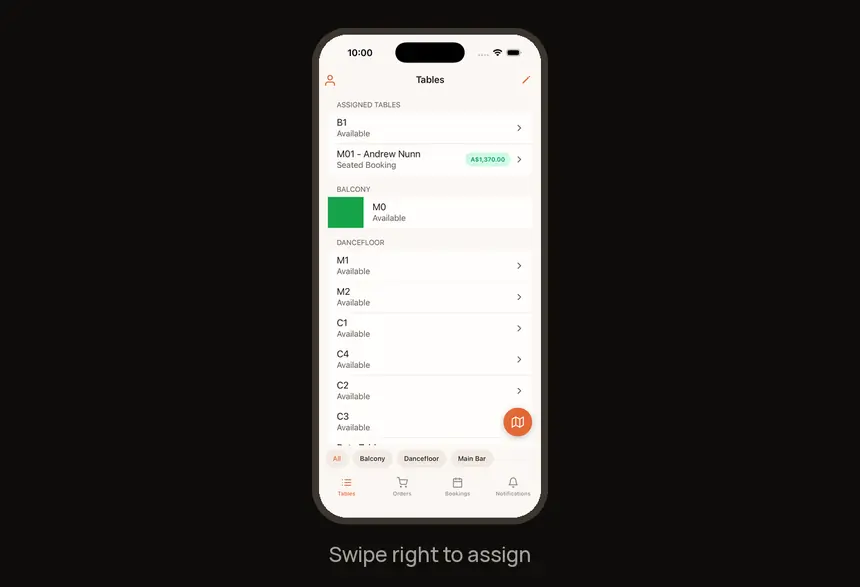
2. Assign tables
Swipe right on a table to assign it.
During service
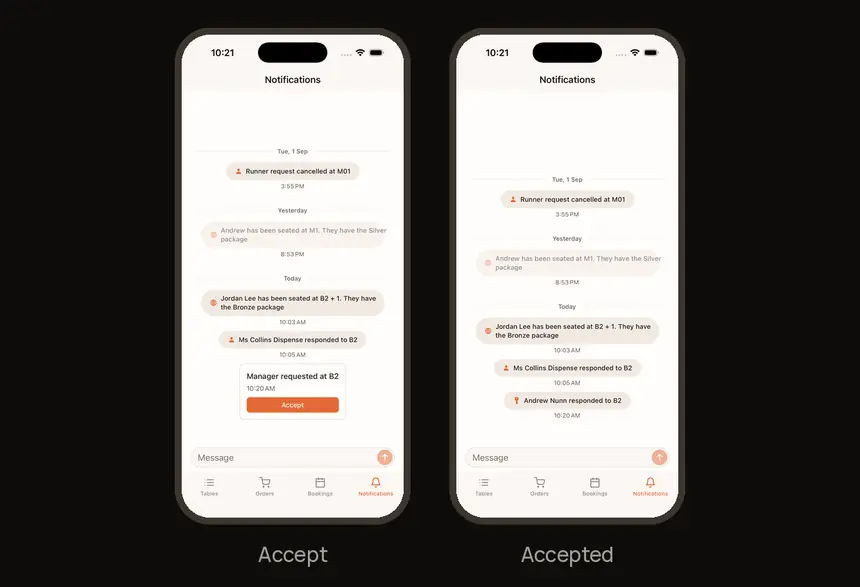
3. Answer manager requests
Watch Notifications and tap Accept. Your name shows, so the team knows you’re coming.
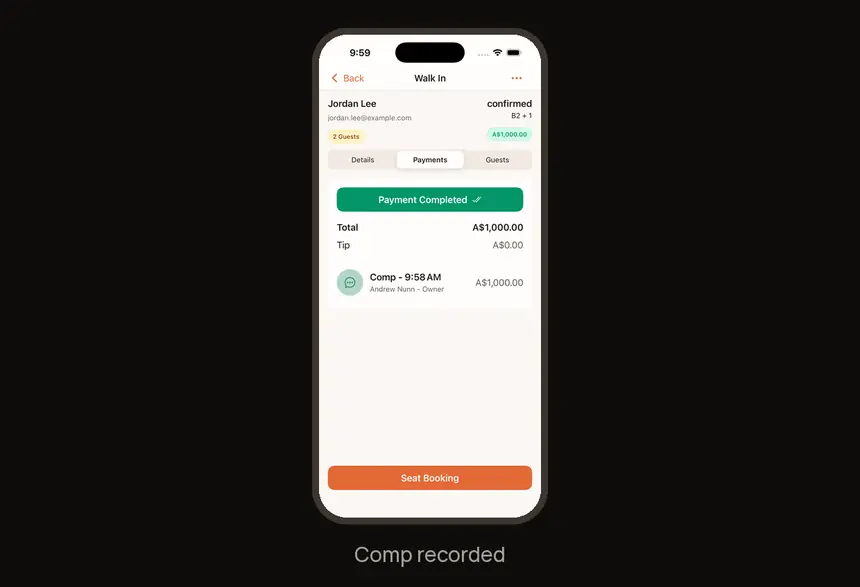
4. Handle compsBooking → Payments → Add Payment → Comp Payment, so servers can keep serving.
End of night
5. Check the numbers
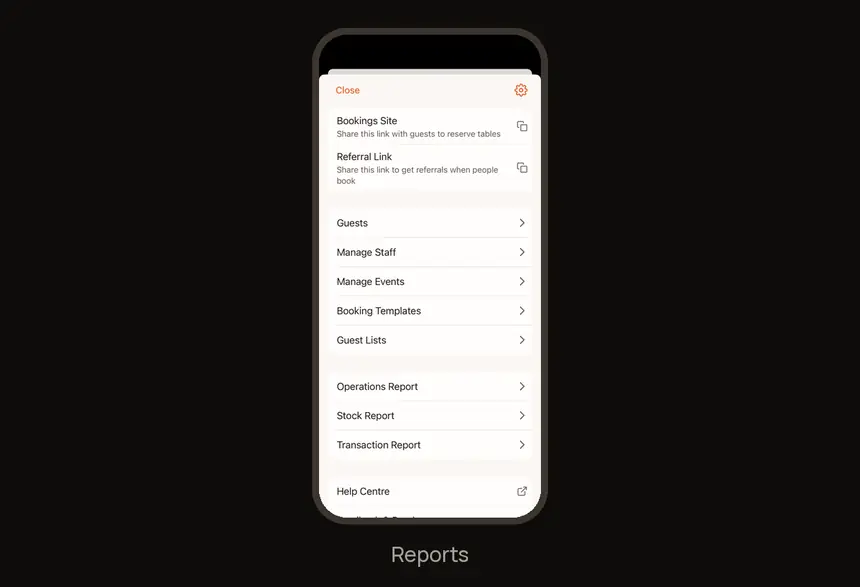
Profile → Operations Report, Stock Report or Transaction Report.
Find it fast
| I need to… | Go to |
|---|---|
| Pending Bookings | Bookings → tap the event name → Pending Bookings |
| Assign a table | Swipe right on a table |
| Manager requests | Notifications → Accept |
| Comps | Booking → Payments → Comp Payment |
| Reports | Profile → Operations Report |
Try it now
On the demo booking: Approve the demo booking, assign yourself to its table, then open the Operations Report.
Need help?
You're the escalation point on the night. For anything about DQ itself, visit the Help Center at feedback.getdqd.com.
Was this helpful?