
Introduction to DQ Core
Purpose Built for VIP Hosts: Features, Pricing & Getting Started
Features
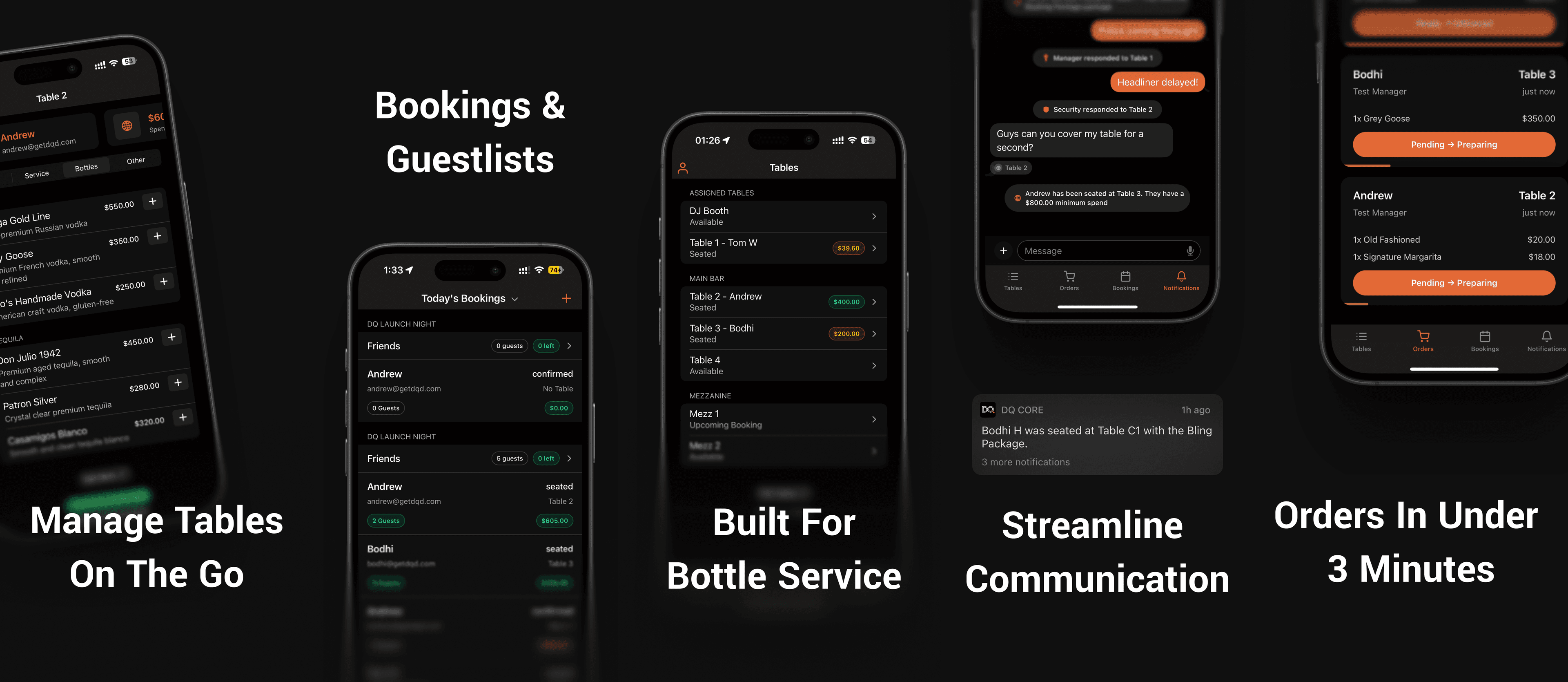
DQ Core brings the power and expertise of DQ to small teams, boutique venues and events. Say goodbye to the chaos, missed revenue, double-bookings, poor communication that we accept as a normal part of running a VIP team.
Set up in minutes, DQ Core helps nightlife operators run reservations, guest-lists and VIP orders — no training or complex setup required.
Designed for small clubs, festivals and events, DQ Core simplifies nightlife operations.
Key Features
Bookings & ticketing
Table Management
Ordering and Service Workflow
Communication & Incident Response.
Pricing
DQ Core has an always-free tier for small teams and offers a 30 day free trial of all product features.
Onboard Your Team In Minutes
Download the DQ Core App
Download the DQ Core app from the iOS App Store (Android is coming soon).
Create an account
Anyone can create an account and either join a venue they have been invited to, or start a new venue.
Set up your venue
Add the name of your venue and its public website. You can add tables and menu items right away.
Invite your team
Tap the settings icon and select "Manage Staff". Tap the + and you can add your team by inputting their email address.
Add your first event
Tap the Settings Icon and select "Manage Events". Tap the + and you can set up your first event.
Share your public bookings and guest-list links
As soon as you create a venue in DQ Core, we host a website for public bookings and guest-list entries. You can view and share this link from the settings menu.
Next Step: Set Up Your Venue
Book an Onboard Call For Help Getting Started
We're here to help. Book an onboarding call for support to get your team up and running using DQ Core.
Was this helpful?