
DQ Core training: Owner (Set up your venue)
Set up DQ Core in under an hour, then hand the floor to your team.
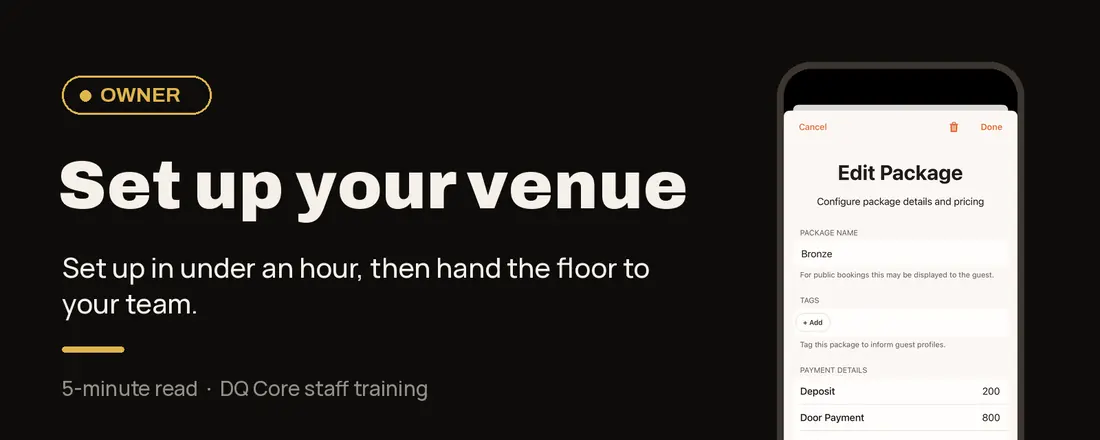
Your role in one line: You set the venue up once, invite your team, then hand them the floor.
Why it works this way: One source of truth.
Bookings, requests, orders and updates live in one shared view. Set it up once and every role works from the same picture. No group chats, radios or spreadsheets.
Good to know: Your new venue comes with demo tables, menu items, an event and a demo booking. Rename and replace them as you go.
Your setup checklist
Your floor
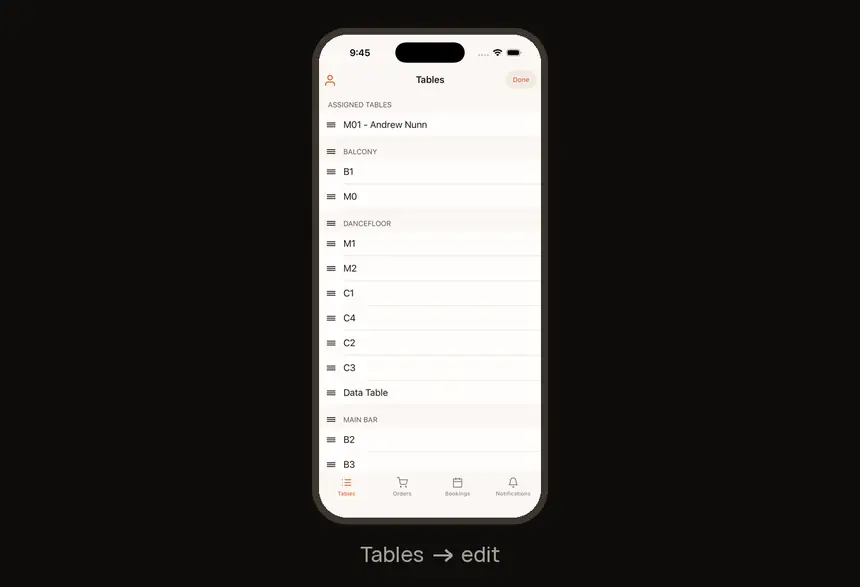
1. Name your tables and sections
Tables tab → tap the pencil (top right).
2. Build your menu
Open a table → tap the pencil to edit the menu and Add Item. Or photograph your menu and DQ imports it.
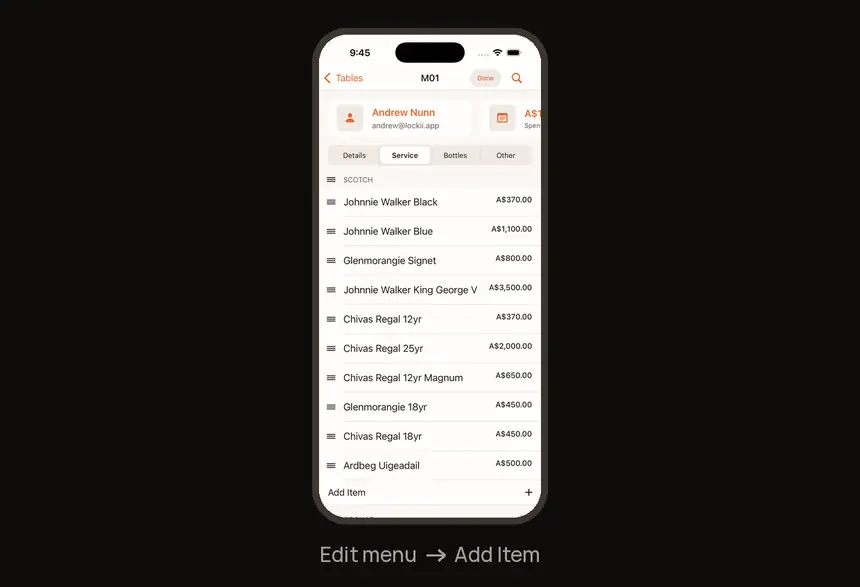
What you sell
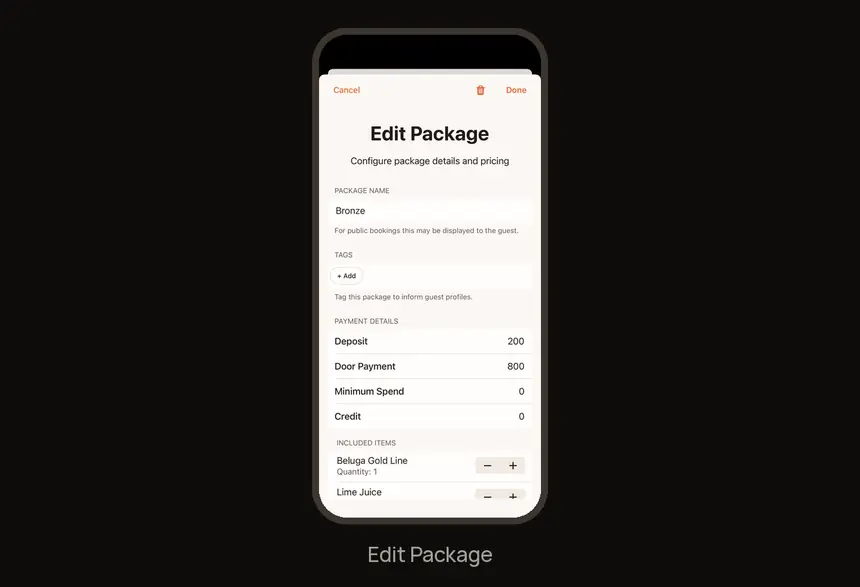
3. Create a package
Your booking template. Profile → Booking Templates.
4. Create your first eventProfile → Manage Events → +.
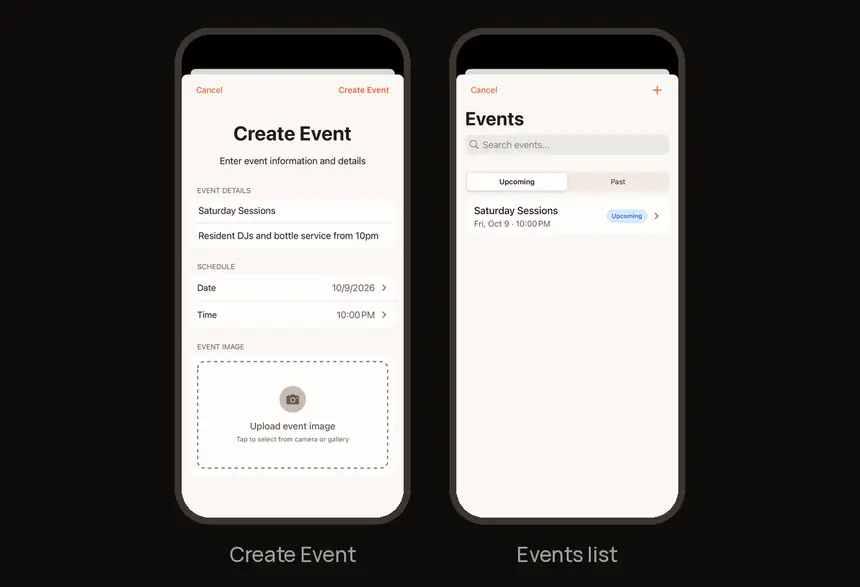
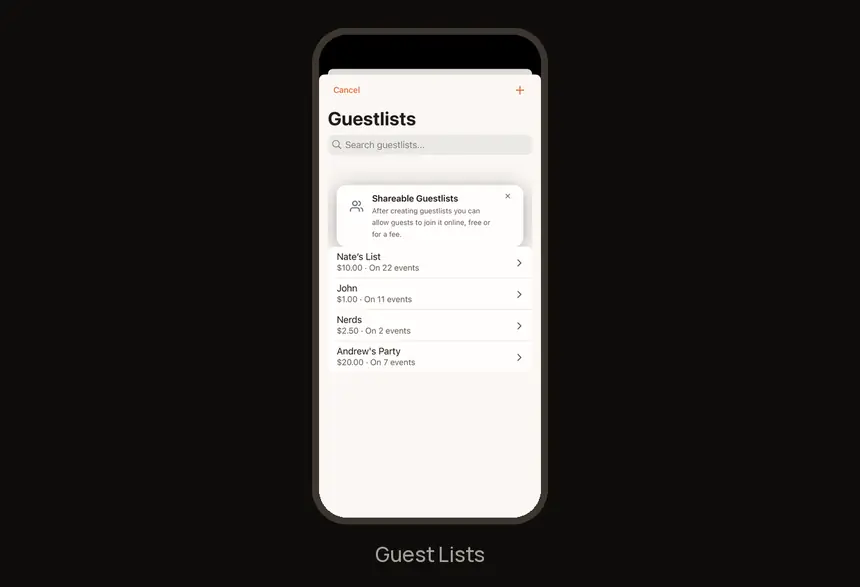
5. Add a guest list or ticketsProfile → Guest Lists, or add one to an event.
Getting paid
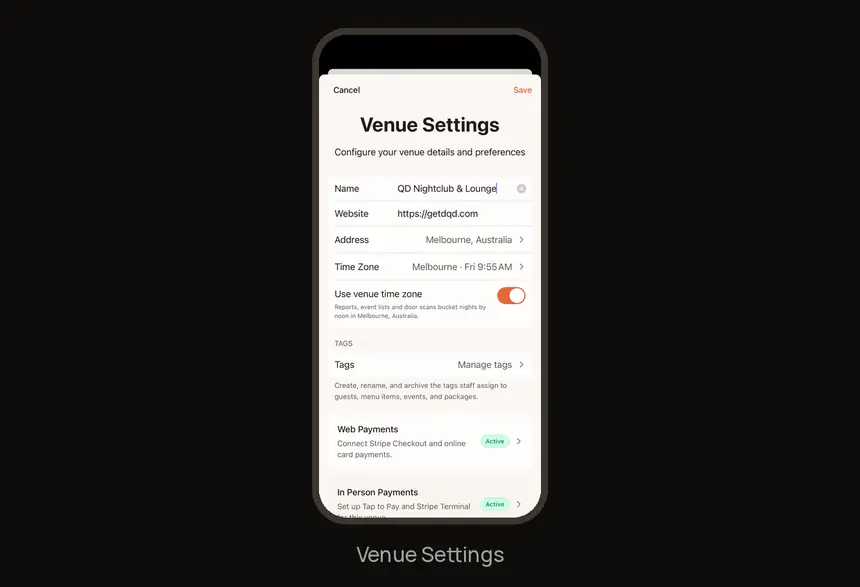
6. Connect Stripe
Profile → gear icon (Venue Settings) → Web Payments.
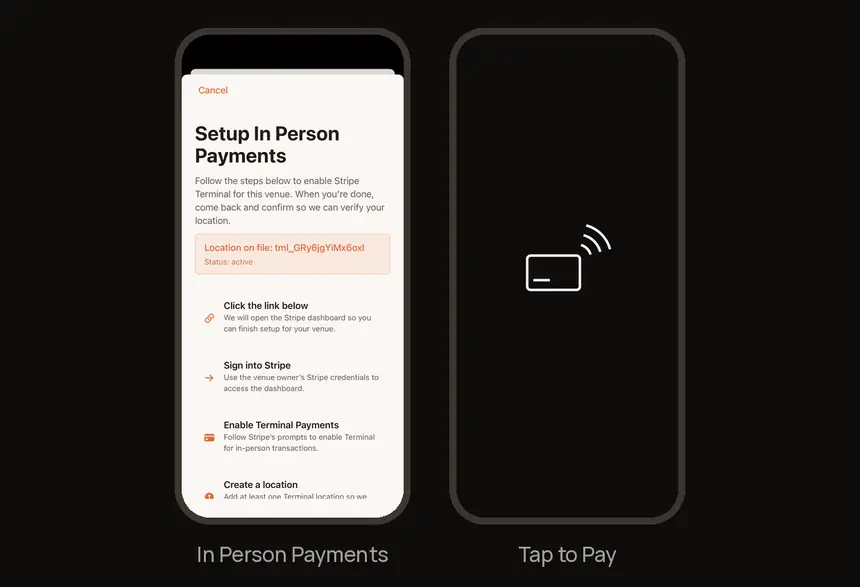
7. Set up Tap to Pay
Optional. Venue Settings → In Person Payments for card payments on staff phones.
Go live
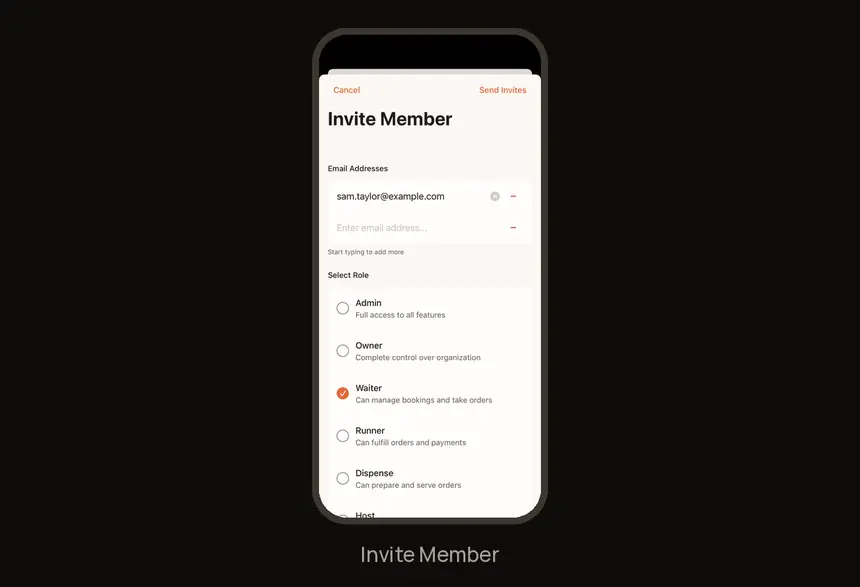
8. Invite your teamProfile → Manage Staff → + → email and role → Send Invites.
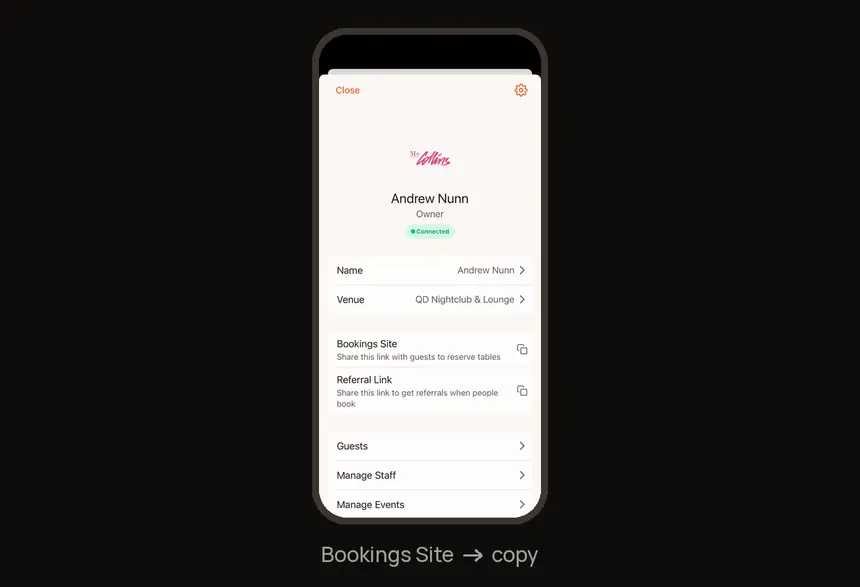
9. Share your public booking linkProfile → Bookings Site → copy.
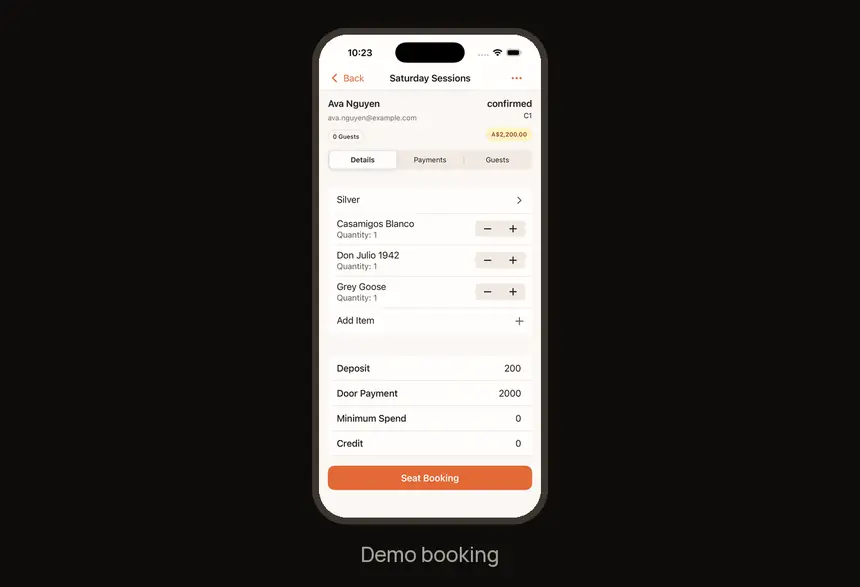
10. Run a practice night
Use the demo booking, with your team.
Find it fast
| I need to… | Go to |
|---|---|
| Tables and sections | Tables tab → pencil |
| Menu | Open a table → pencil → Add Item |
| Packages | Profile → Booking Templates |
| Events | Profile → Manage Events |
| Guest lists | Profile → Guest Lists |
| Payments | Profile → gear icon → Web Payments / In Person Payments |
| Team | Profile → Manage Staff |
| Public booking link | Profile → Bookings Site |
Who does what
| Role | What they do |
|---|---|
| Owner | Sets up the venue, menu, payments and team. |
| Admin | The manager role. Approves bookings, assigns tables, coaches the floor, handles comps. |
| Host | Runs the door: sells tables, checks guests in, takes payment, seats bookings. |
| Waiter | Owns a section: seats, orders and takes payment for their tables. |
| Promoter | Brings guests in with a referral link and bookings. |
| Runner | Fulfils orders and requests: ice, glassware, mixers, deliveries. |
| Dispense | Prepares and serves orders at the bar or dispense point. |
Try it now
With your team: Run the demo booking together: seat it, request an included item, call a runner and take a test payment.
Need help?
Want a hand getting set up? Book a 30-minute call with our team. For anything else, visit the Help Center at feedback.getdqd.com.
Was this helpful?