
DQ changelog
DQ Core — Training for every role: quickstart guides, tips & clearer screens
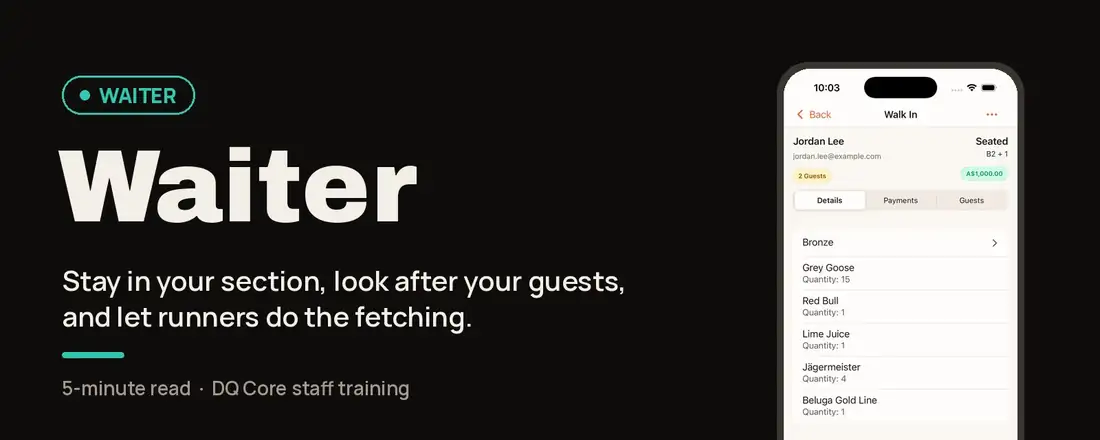
New staff usually learn DQ on their phone, minutes before a shift. This update teaches them in the app itself, so everyone knows their job on the night from the first time they open it.
🎓 Quickstart Guide for every role (new)
The first time someone opens a venue, DQ shows a one-minute guide for their role: what the role is for, why DQ works the way it does, the two things they'll do most, and a "Try it now" task. There's a guide for Owners, Managers, Hosts, Waiters, Runners / Bussers, Dispense / Bar and Promoters.
Shown once per role, per venue. Promote someone and they get the new role's guide.
It follows the person, not the phone: dismiss it on one device and it won't appear again on another.
Revisit it any time from Profile → Training, where your own role sits at the top. It's handy for pre-shift briefings too.
💡 Tips for the icon buttons
The first time you open a screen, a short run of tips points at its icon-only buttons and says what each one does: scanning tickets, search, adding bookings, editing tables and menus, the floor map, filters and more.
You only see tips for buttons your role actually has.
Skip tips turns them off everywhere; Profile → Show tips again brings them back.
📘 Training guides in the Help Center
Every role has a step-by-step guide with screenshots and a printable A4 one-pager, under DQ Core — Roles & Permissions: Owner · Manager · Waiter · Runner / Busser · Host · Promoter
🎨 Roles you can recognise at a glance
Each role now has its own colour and icon in Training and Manage Staff, and the Admin role is now shown as Manager everywhere.
🔎 Easier to find, harder to get wrong
Pending bookings now show as a count on the Bookings tab, plus a "waiting for approval" row at the top of the list.
Voiding an order item now asks you to confirm first. It used to happen instantly on a swipe.
The table picker is now called Select Tables and explains that picking more than one merges them. The table on a booking shows a › so you know it's tappable.
✨ Fixes
Switching venues could leave the Tables tab empty if you'd filtered by a section at another venue. Fixed.
Removed the "Upload Venue Map" tip, which led to a screen that didn't do anything. Build your layout with the floor plan editor instead.